Organization Profile Management System
Complete guide for managing organization profiles, users, security, and system configurations. Select a topic below to get started.
System Overview
Learn about the organization profile system architecture, features, and technical implementation.
Accessing the System
How to access and navigate the organization profile management interface.
Profile Management
Managing organization details, contact information, and business configuration.
User Management
Employee management, role assignment, and user invitation system.
Security Configuration
Comprehensive security setup with features, packages, roles, and permissions.
Access Control
Access matrix and permission management for organizational resources.
Bank Details
Organization banking information and financial configuration.
Tag Management
Categorization and tagging system for organizational data.
Forms & Templates
Invoice templates and document form management.
Integration
Service integration and external system connections.
Shift Time
Work shift configuration and time management.
Code Management
System codes and configuration management.
API Integration
Backend API integration and data flow management.
Troubleshooting
Solutions to common issues and problems.
System Overview
The Organization Profile System enables comprehensive management of organizational data, user permissions, security configurations, and business operations through a modern React-based interface.
Key Features
🏢 Organization Profile
Complete organization details management with logo upload, contact information, and business configuration.
👥 User Management
Comprehensive employee management with role assignment, search, pagination, and invitation system.
🔒 Security Configuration
7-step security workflow with features, packages, roles, and permission mapping.
🛡️ Access Control
Role-based access control with permission matrix and fine-grained permission management.
🏦 Bank Details
Organization banking information and financial configuration management.
🏷️ Tag Management
Categorization system for organizational data with search and management capabilities.
📋 Forms & Templates
Invoice PDF templates and document form management system.
🔌 Integration
Service integration management with external systems and APIs.
Technical Architecture
React-based Application with modern hooks and Redux state management:
useStatefor local component stateuseEffectfor side effects and API callsuseSelectoranduseDispatchfor Redux integration- Custom hooks for form state management
Redux Integration with multiple slices:
organizationProfileSlice- Organization data managementorganizationSlice- Employee and user managementlogoSlice- Logo upload and managementrolesSlice- Role and permission managementcustomerSlice- Customer data management
ACL (Access Control List) based permission system:
- Feature-based permission checking
- Package and role mapping
- User role assignment
- Fine-grained permission controls
Third-party Integrations:
- Radar API: Australian address validation and autocomplete
- File Upload: Logo and document management
- Authentication: User authentication and permission checking
- Toast Notifications: User feedback system
Tab Navigation Structure
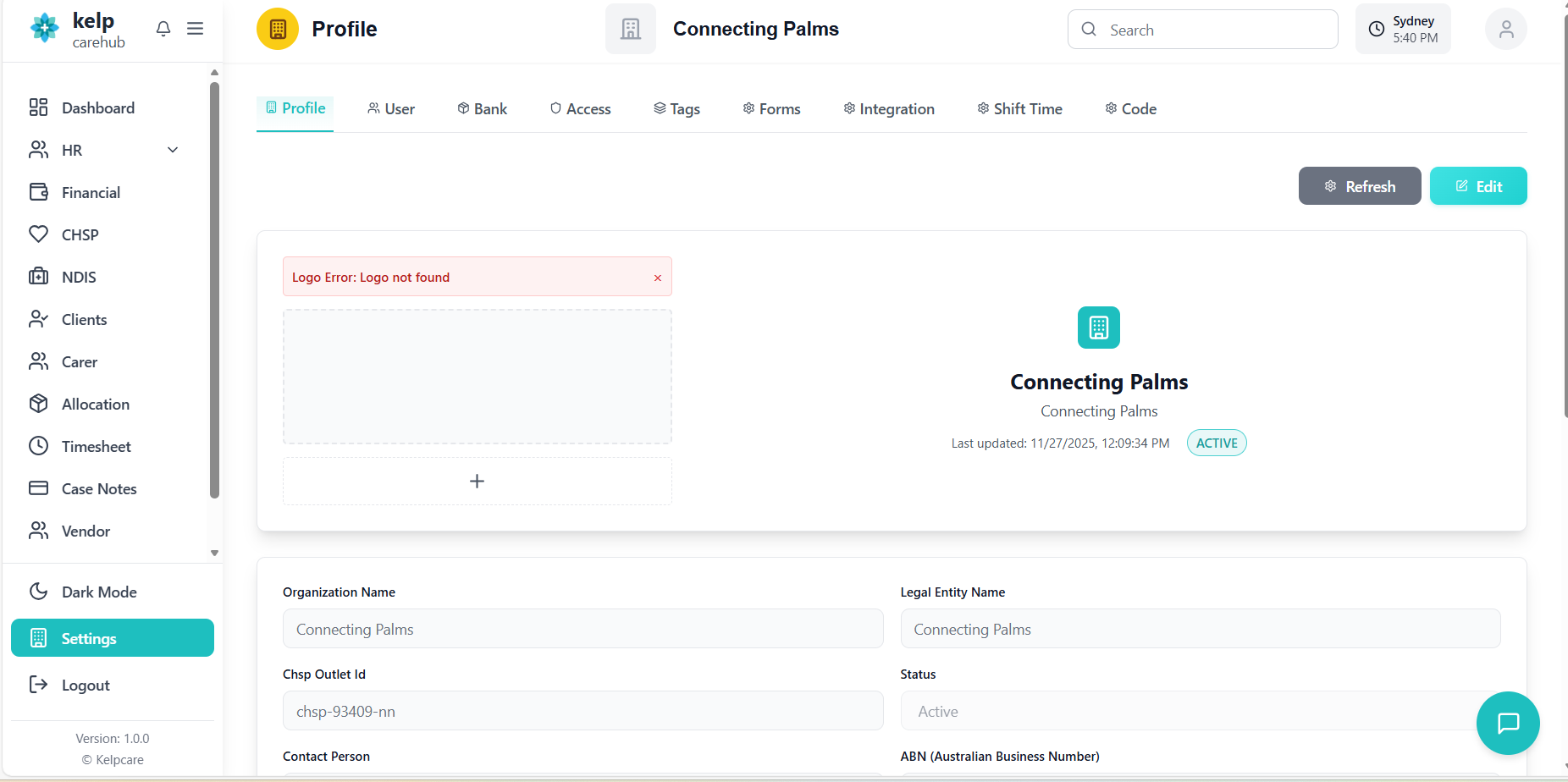
Accessing the Organization Profile System
How to access and navigate the organization profile management interface.
- From the main application dashboard, navigate to the "Organization" section
- Click on "Profile" or "Organization Settings"
- System automatically loads the organization profile based on authenticated user's organization
- Default view shows the Profile tab with organization details
- Dynamic Tabs: Tabs are dynamically generated based on user permissions
- Permission-based Access: Only tabs with required permissions are visible
- Tab Structure: Profile, Users, Bank, Security, Access, Tags, Forms, Integration, Shift Time, Code
- Active Tab: Visual indicator showing current active tab
- ACL Check: Each tab checks user permissions before displaying
- Feature Mapping: Tabs are mapped to specific features and packages
- Fallback: If no permissions, user sees empty state or access denied
- Dynamic Rendering: Components render based on permission checks
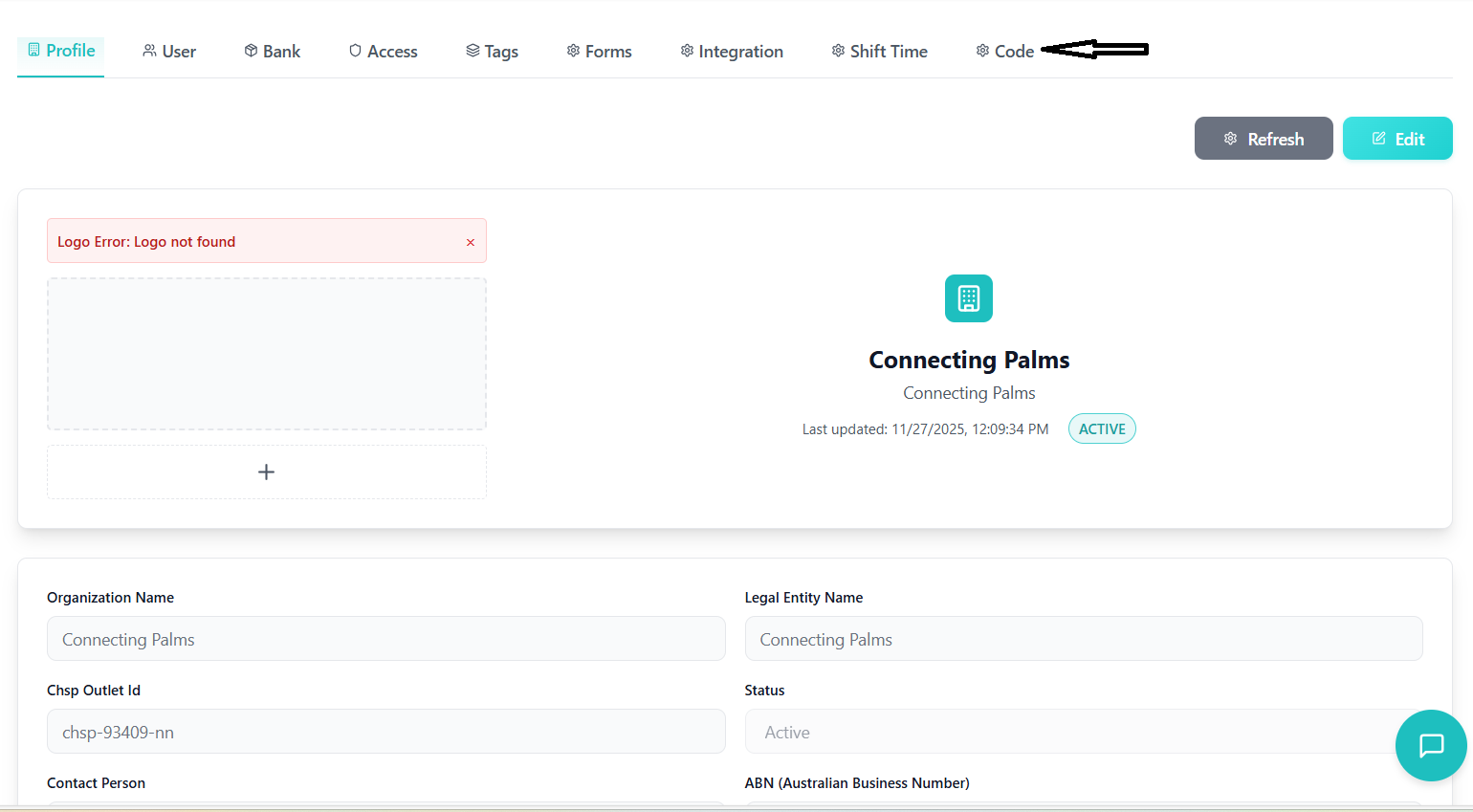
Profile Management
Managing organization details, contact information, and business configuration.
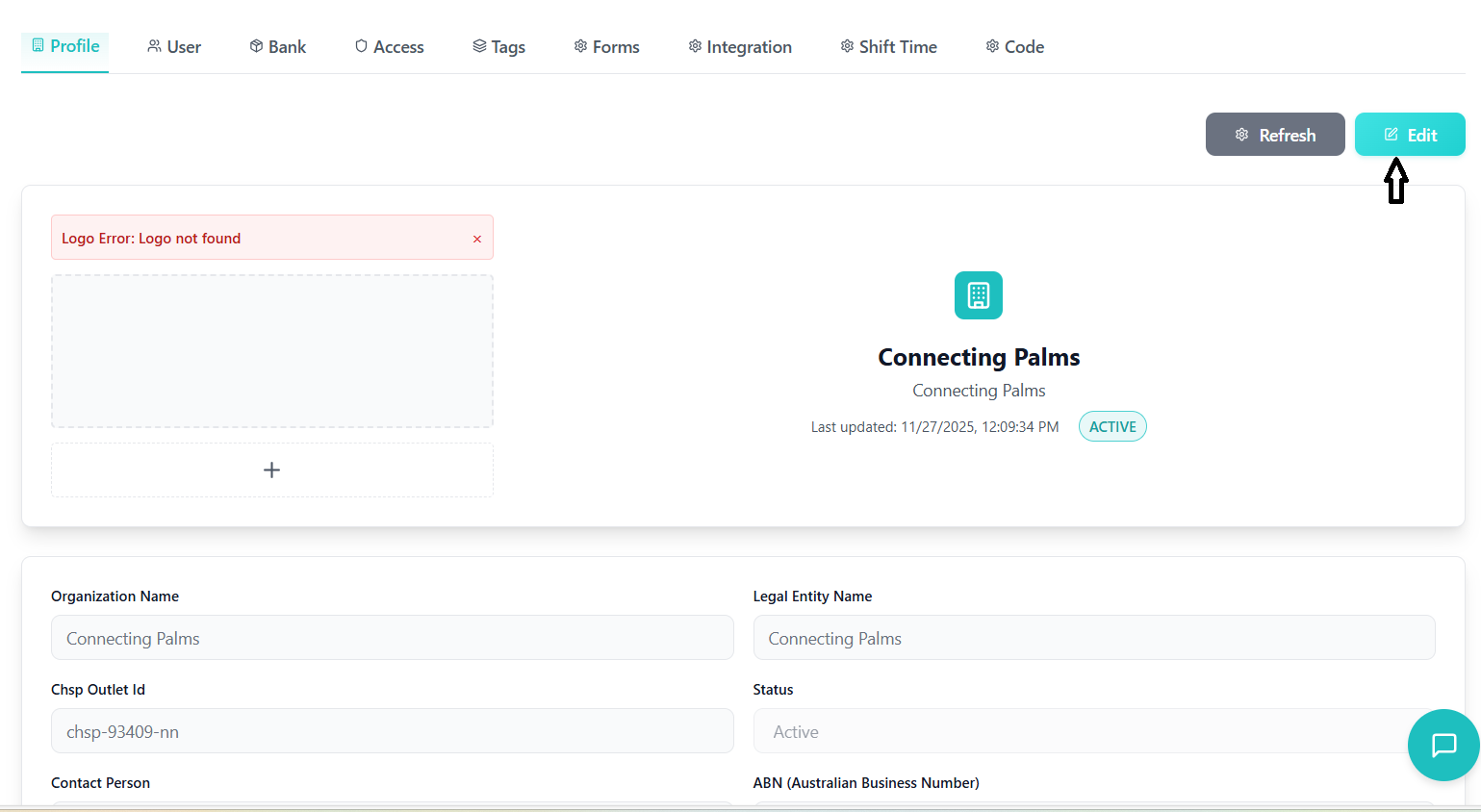
Organization Information Sections
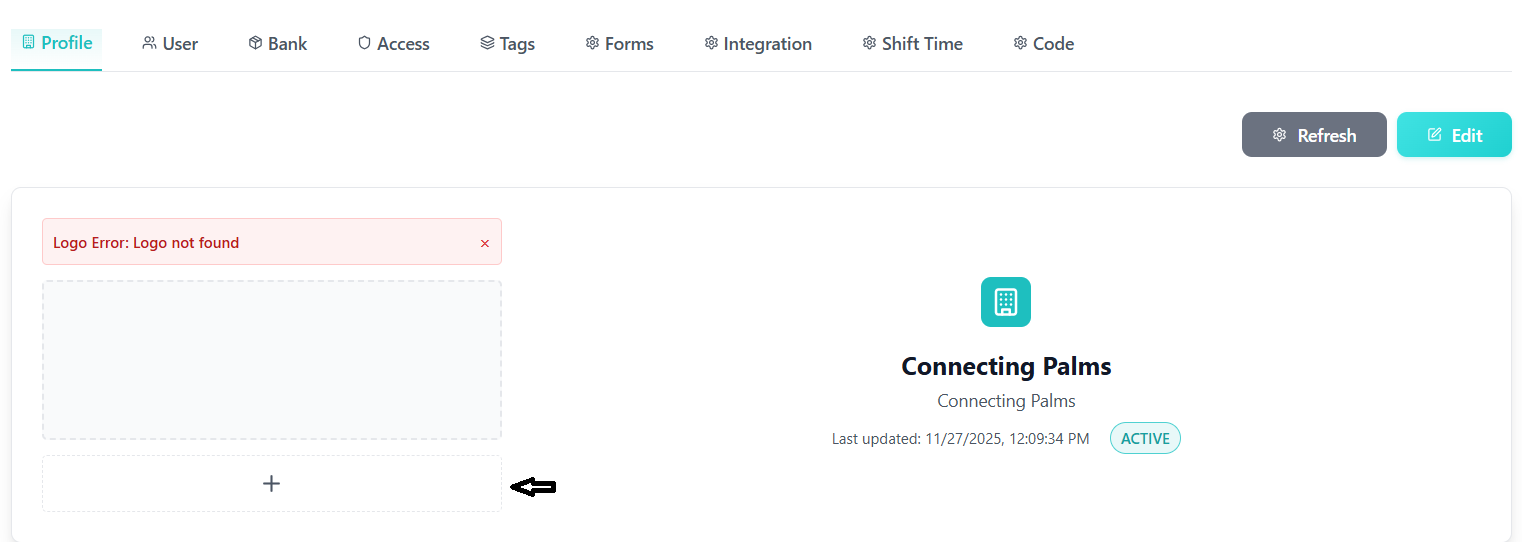
- Upload: Drag-and-drop or click to select logo image
- Requirements: Max 5MB, common image formats
- Preview: Real-time image preview with remove option
- Validation: File type and size validation
- API Integration: Automatic upload to server
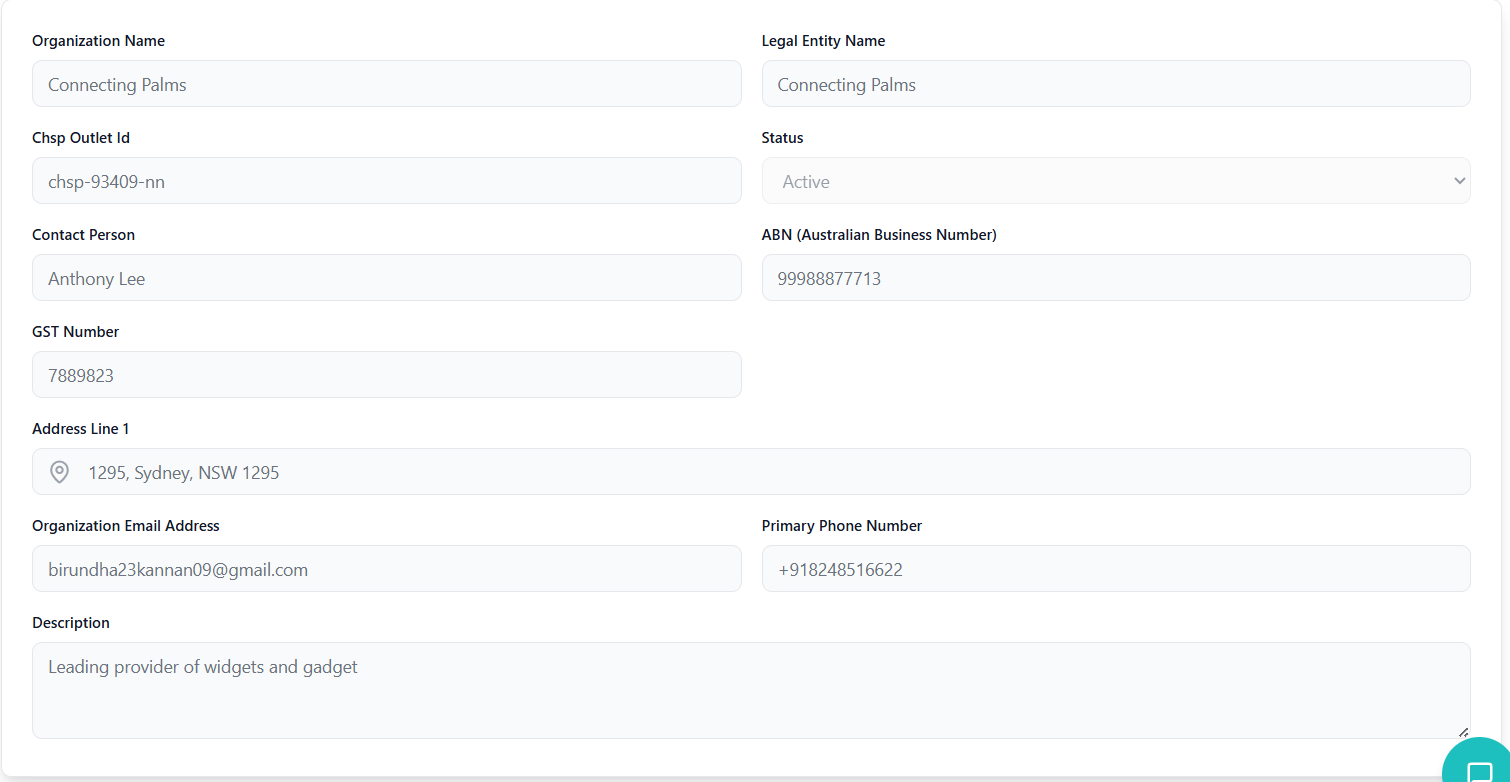
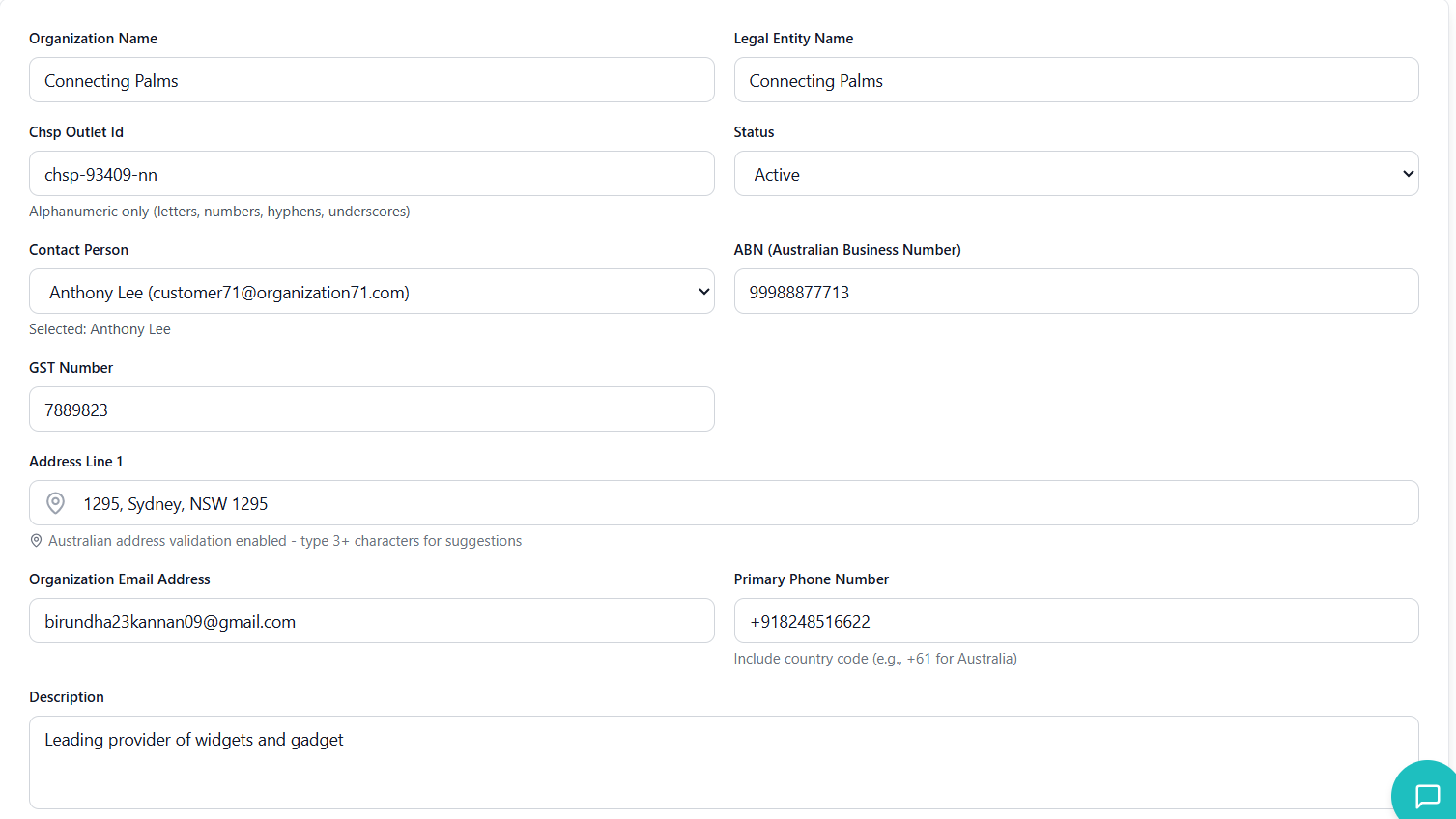
- Organization Name: Required field
- Legal Entity Name: Optional legal business name
- Outlet Activity ID: CHSP outlet identifier
- Status: Active, Inactive, Pending, Suspended
- Contact Person: Dropdown with customer names
- ABN: Australian Business Number (11 digits)
- GST Number: Goods and Services Tax number
- Validation: ABN format validation (11 digits)
- Address: Australian address with Radar API validation
- Email: Organization email with format validation
- Phone: Primary phone number with Australian format
- Validation: Real-time validation with error messages
- Text Area: Multi-line description field
- Optional: Not required but available for additional details
- Character Limit: Standard text area with scroll
Form Actions
- Edit Button: Toggles form into editable state
- Field Activation: Input fields become enabled
- Customer Fetch: Fresh customer names loaded
- Error Clear: Previous errors cleared
- Validation: Comprehensive form validation before submission
- API Call:
updateOrganizationRequestdispatched - Loading State: Button shows loading during update
- Success Handling: Success toast notification
- Error Handling: Error messages with retry option
- Data Reset: Form data reset to original values
- Mode Exit: Returns to view-only mode
- Error Clear: Validation errors cleared
Validation Rules
- Organization Name: Required, non-empty string
- ABN: Exactly 11 digits if provided
- Email: Valid email format if provided
- Phone Number: Valid Australian format if provided
- Address: Valid Australian address format
- Outlet Activity ID: Alphanumeric with hyphens/underscores
User Management
Employee management, role assignment, and user invitation system with comprehensive search and filtering.
Employee List Features
- Carer Number: Employee identification number
- Name: Employee full name with avatar
- Email: Contact email address
- Department: Department assignment
- Status: Active/Inactive status badge
- Role: Current role with dropdown selector
- Actions: Invite and role management buttons
- Real-time Search: Instant search across multiple fields
- Search Fields: Name, email, employee number, department
- Debounced Input: 300ms delay for performance
- Frontend Filtering: Client-side filtering for fast results
- Column Sorting: Click headers to sort by name, email, department
- Pagination: Configurable page sizes (5, 10, 20, 50)
- Page Navigation: Previous/Next with page number selection
- Results Count: Showing X of Y employees display
Role Management
- Dropdown Selector: Role selection for each employee
- Real-time Update: Immediate API call on role change
- Loading States: Individual loading indicators per employee
- Error Handling: Role update failure handling with revert
- API Endpoint:
/api/v1/employees/updateuserrole - Request Data: User ID and Role ID
- Success Handling: Toast notification and state update
- Data Refresh: Employee list refresh after update
Invitation System
- Prerequisite: Role must be assigned before invite
- API Endpoint:
/api/invites/send - Request Data: Organization ID, Employee ID, Role ID
- Success Handling: Invite sent status and notification
- Status Check:
/api/invites/statusendpoint - Status Types: Sent, Accepted, Expired
- Visual Indicators: Status badges in actions column
- Reset Option: Reset invite status for re-invitation
Data Flow
Security Configuration
Comprehensive security setup with 7-step workflow for features, packages, roles, and permission mapping.
Security Workflow Steps
| Step | Title | Description | Prerequisites | Estimated Time |
|---|---|---|---|---|
| 1 | Features | Define individual access control points | None | 5-10 min |
| 2 | Packages | Group features into logical units | Features | 10-15 min |
| 3 | Roles | Define user permission levels | None | 5-10 min |
| 4 | Feature → Package | Assign features to packages | Features, Packages | 10-20 min |
| 5 | Role → Package | Assign packages to roles | Roles, Packages | 15-25 min |
| 6 | User Roles | Assign roles to users | Roles | 10-15 min |
| 7 | Fine-tune Permissions | Set specific feature permissions | Role-Package Mapping | 15-30 min |
Workflow Components
- Overall Progress: Percentage completion indicator
- Step Completion: Visual indicators for completed steps
- Prerequisite Checking: Automatic validation of step dependencies
- Recommended Next Step: Smart suggestion system
- Features Count: Number of defined features
- Packages Count: Number of created packages
- Roles Count: Number of defined roles
- Users Count: Number of users with roles assigned
- Setup Guidance: Welcome and progress banners
- Tool Tips: Helpful tips for each step
- Prerequisite Warnings: Clear indication of required previous steps
- Quick Actions: Fast access to common operations
Sub-tab Components
⭐ Features Accordion
Create and manage individual system features and access points.
📦 Packages Accordion
Group related features into logical packages for easier management.
🛡️ Roles Accordion
Define organizational roles with specific permission levels.
🔗 Feature-Package Mapping
Assign features to their appropriate packages.
🎯 Role-Package Mapping
Assign packages to roles with permission levels.
👤 User Role Assignment
Assign roles to individual users in the system.
⚙️ Fine-tune Permissions
Override default permissions for specific scenarios.
API Integration
- Feature CRUD:
fetchFeatures, createFeature, updateFeature, deleteFeature - Package CRUD:
fetchPackages, createPackage, updatePackage, deletePackage - Role CRUD:
fetchRoles, createRole, updateRole, deleteRole - Mapping Operations:
assignFeaturesToPackage, assignPackagesToRole, assignRolesToUser - User Management:
fetchUsers, getUserAcl, getUserRoles
Access Control Matrix
Role-based access control with permission matrix and fine-grained permission management.
Access Matrix Components
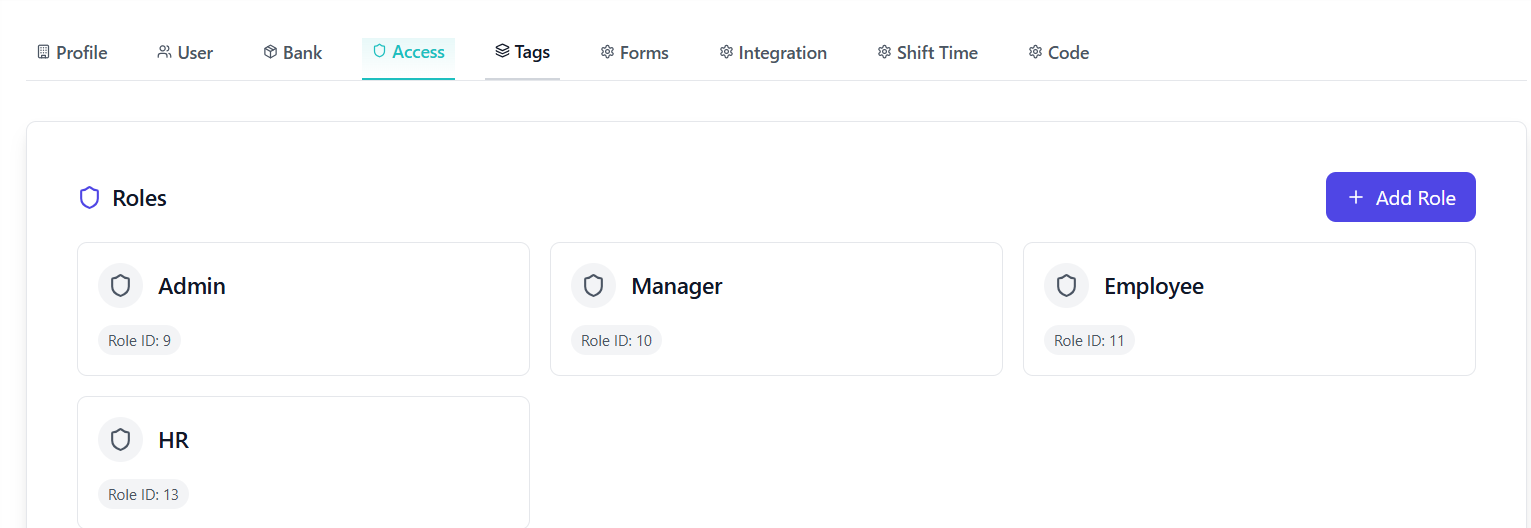
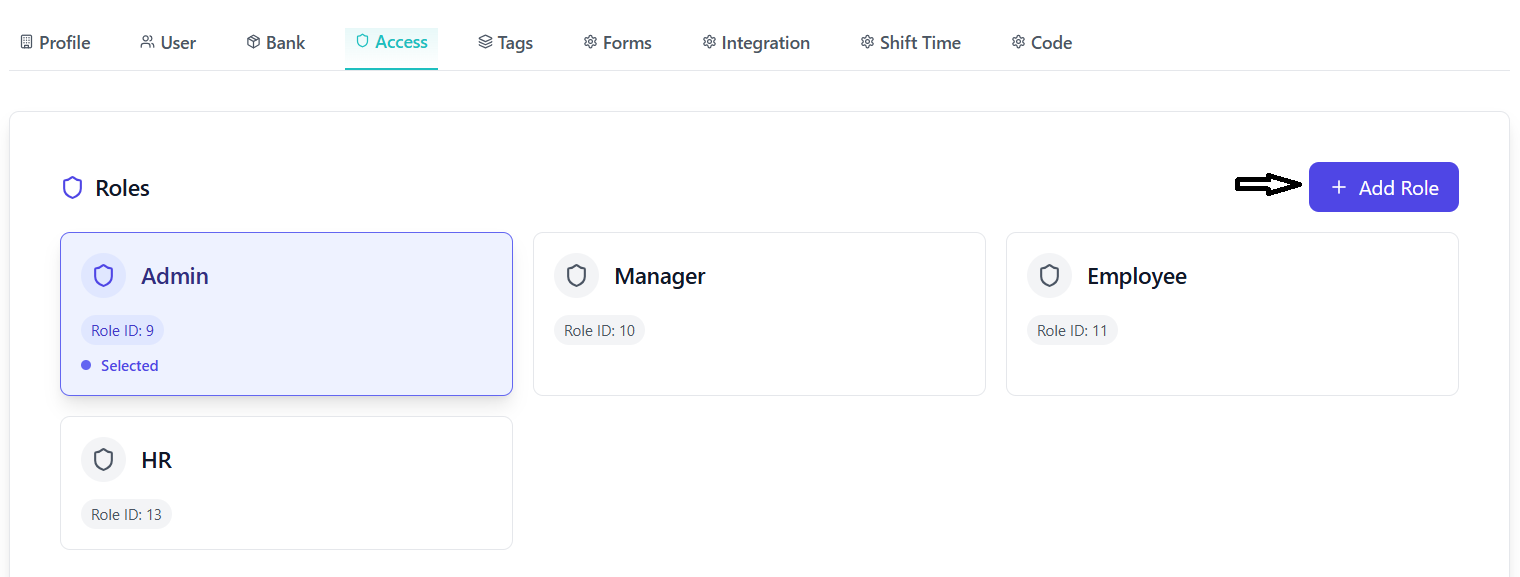
- Role Cards: Visual representation of available roles
- Permission-based Visibility: Users can only see and edit roles they have permission for
- Super Super Admin: Can view and edit all roles
- Admin/HR/Employee: Can only view and edit roles they created in their organization
- Selection Indicator: Visual feedback for selected role
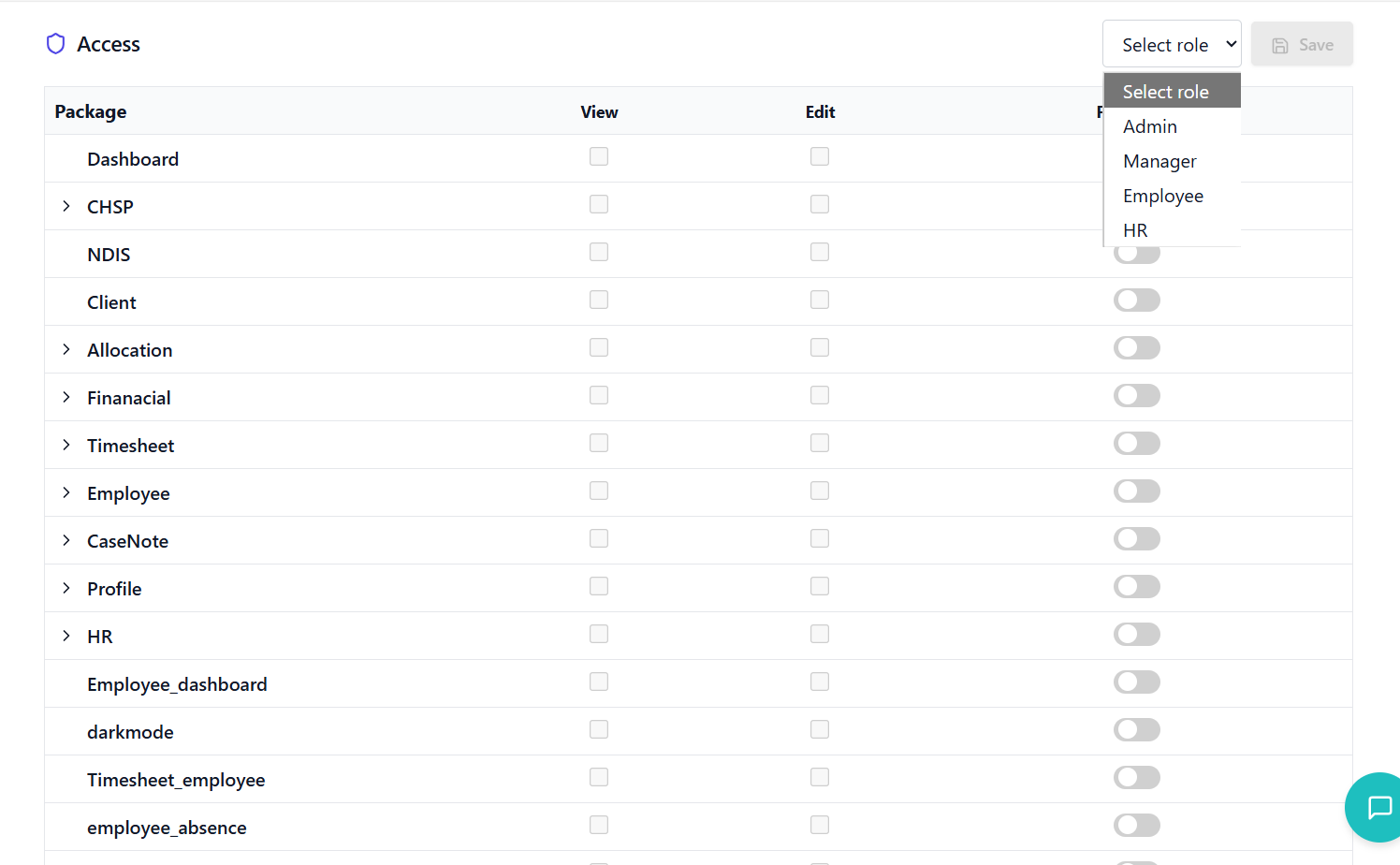
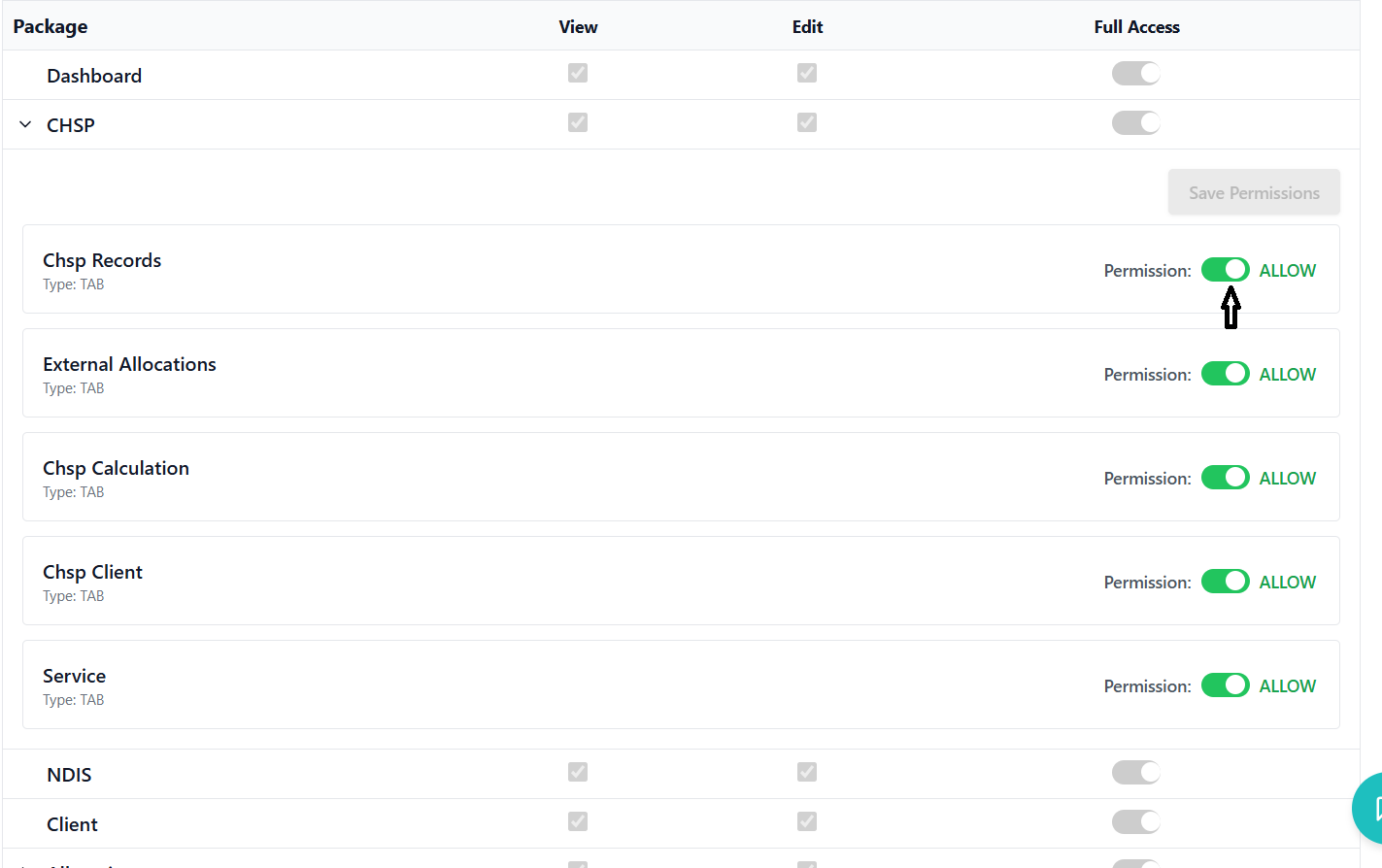
- Package List: All available packages in the system
- Permission Levels: VIEW, EDIT, FULL_ACCESS
- Toggle Controls: Checkboxes for VIEW and EDIT permissions
- Full Access Toggle: Switch control for FULL_ACCESS permission
- Auto-sync: FULL_ACCESS automatically enables all other permissions
- Expandable Packages: Click to view individual features within packages
- Feature List: All features assigned to the package
- Permission Toggles: ALLOW/DENY switches for each feature
- Auto-save: Changes are saved immediately
- Bulk Operations: FULL_ACCESS toggle controls all features in package
Permission Logic
- Package Level: Controls overall access to package functionality
- Feature Level: Fine-grained control over individual features
- Inheritance: Feature permissions inherit from package permissions
- Override: Feature-level settings can override package-level permissions
- VIEW: Read-only access to package content
- EDIT: Ability to modify package content
- FULL_ACCESS: Complete control over package and all features
- ALLOW: Explicit permission for specific feature
- DENY: Explicit denial for specific feature
Role Management
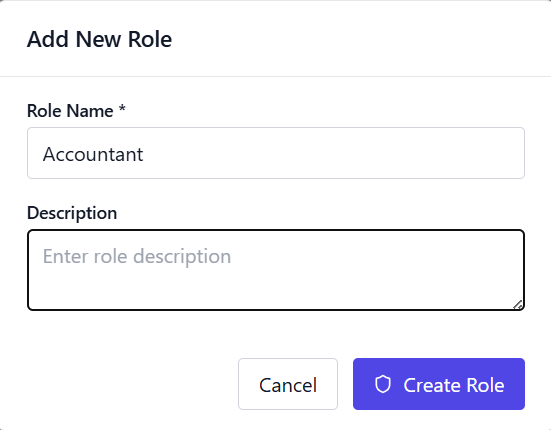
- Add Role Button: Opens role creation modal
- Required Fields: Role name (required), description (optional)
- Organization Context: Roles are created within organization context
- Creator Tracking: System tracks who created each role
- Edit Button: Available on role cards for authorized users
- Inline Editing: Edit role name and description
- Permission Restrictions: Users can only edit roles they created
- Super Super Admin: Can edit all roles regardless of creator
- Super Super Admin can view and edit all roles
- Admin/HR/Employee can only view and edit roles they created in their organization
- Global roles (no organization/creator) are visible to all users
- Role visibility is filtered based on user's organization and role
Bank Details Management
Organization banking information and financial configuration with secure data handling.
Bank Account Management
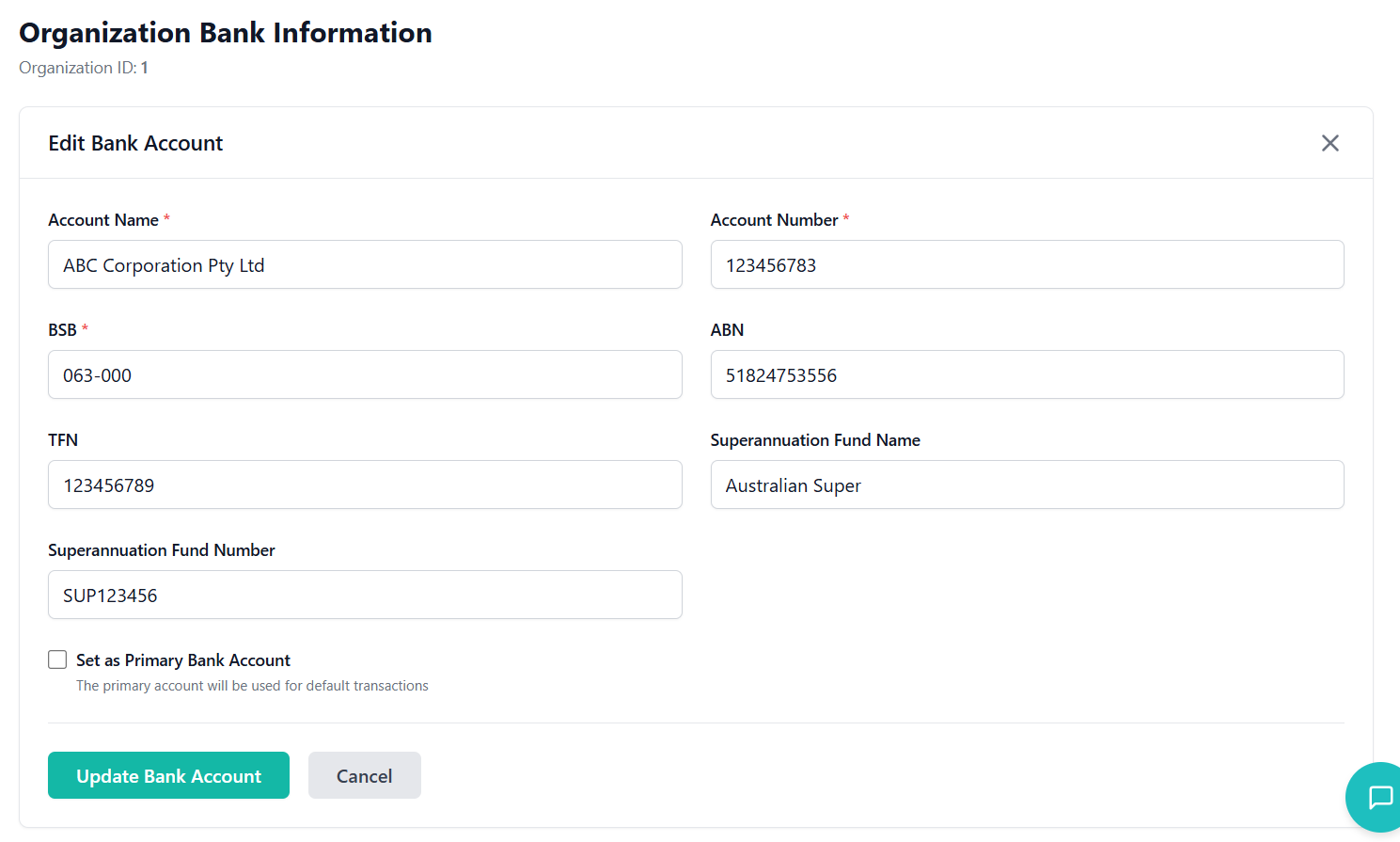
- Account Name: Name of account holder (required)
- Account Number: Bank account number (required)
- BSB: Bank-State-Branch code (required, format: 123-456)
- ABN: Australian Business Number (11 digits)
- TFN: Tax File Number (9 digits)
- Superannuation Details: Fund name and number
- Primary Account: Flag to set as default account
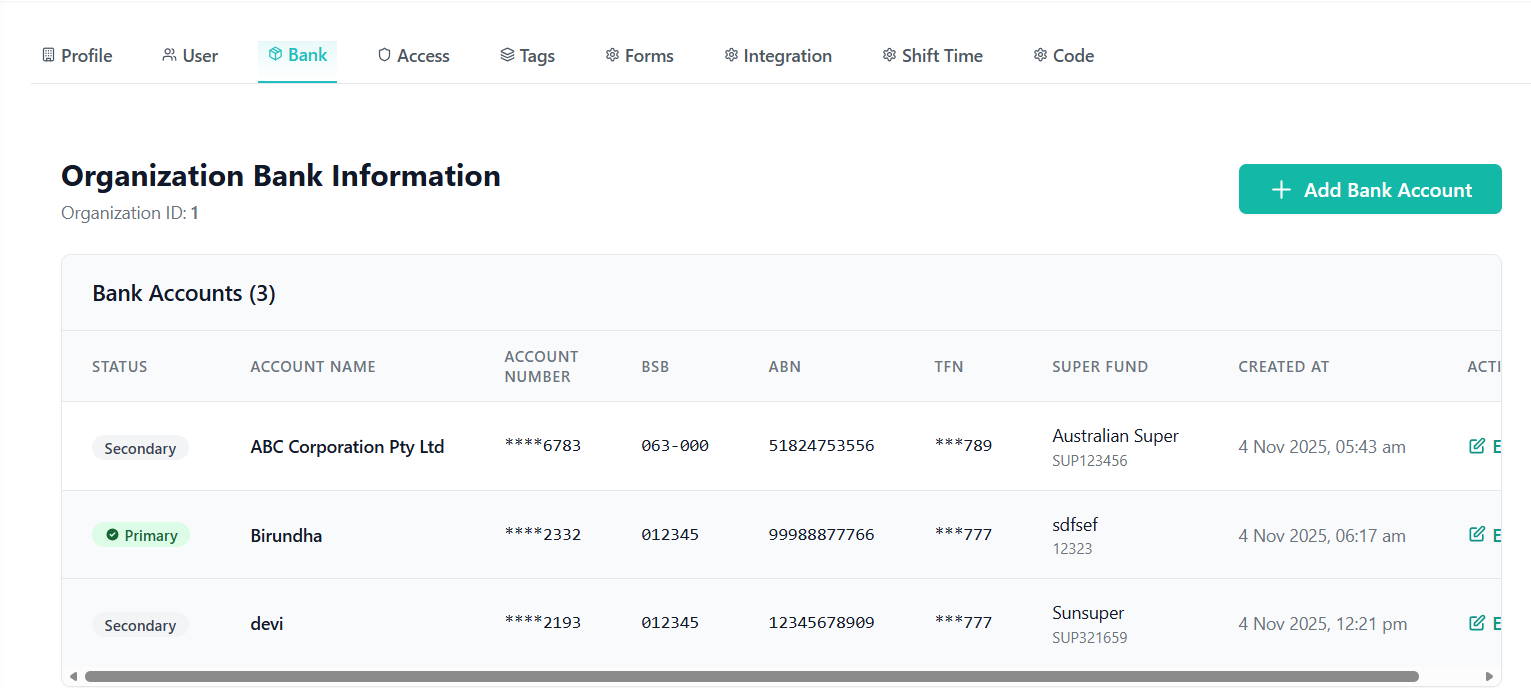
- Masked Display: Account numbers and TFN are partially masked in tables
- Secure Storage: Sensitive data encrypted in database
- Access Control: Only authorized users can view/edit bank details
- Audit Trail: All changes are logged with timestamps
- Required Fields: Account name, number, and BSB are mandatory
- Format Validation: BSB (XXX-XXX), ABN (11 digits), TFN (9 digits)
- Real-time Validation: Immediate feedback on input errors
- Duplicate Prevention: System prevents duplicate account entries
CRUD Operations
- Add Button: Triggers bank account creation form
- Auto-default: First account is automatically set as primary
- Form Submission: Validates data before API call
- Success Handling: Shows confirmation and refreshes list
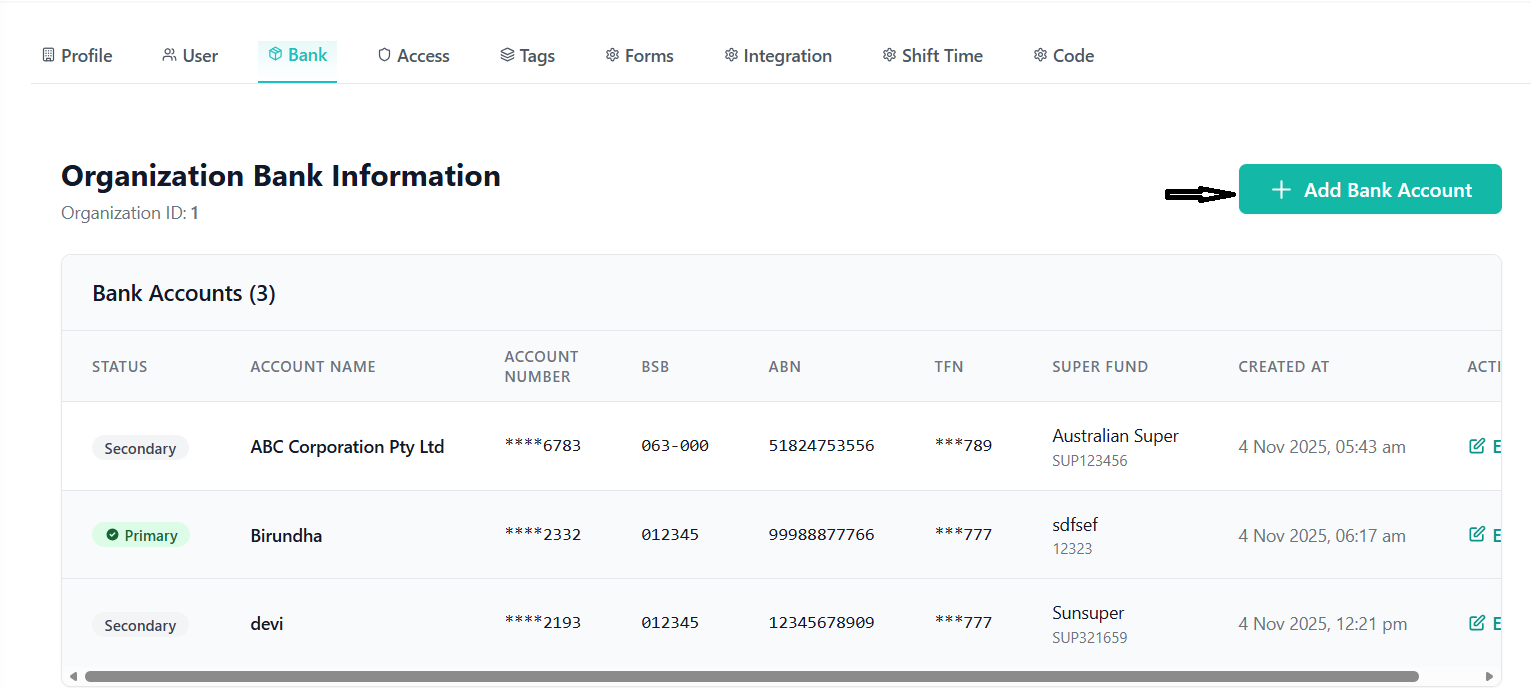
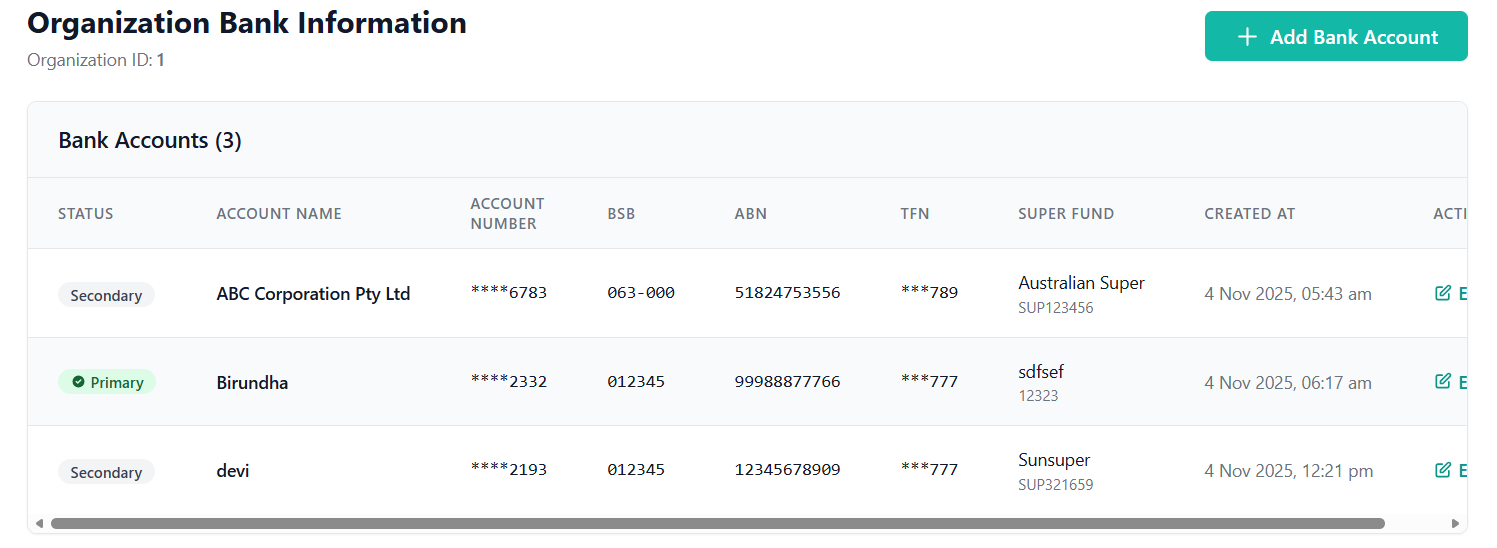
- Table Display: All bank accounts in organized table
- Status Indicators: Primary account clearly marked
- Masked Data: Sensitive information partially hidden
- Sorting: Accounts sorted by creation date
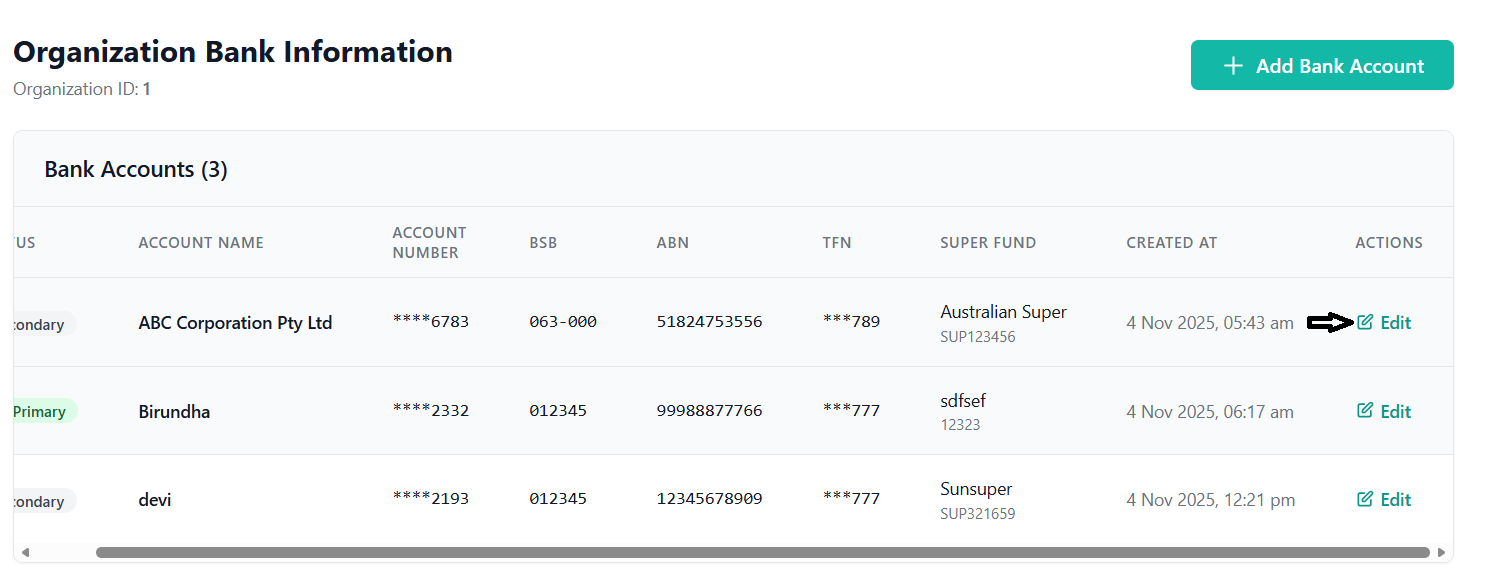
- Edit Button: Opens pre-filled edit form
- Form Pre-population: Existing data loaded into form
- Change Tracking: Only modified fields are updated
- Primary Account Update: Changing primary account updates others
API Integration
GET /api/bank/organization/{organizationId}- Fetch all bank accountsPOST /api/bank- Create new bank accountPUT /api/bank/{id}- Update existing bank accountDELETE /api/bank/{id}- Remove bank account
Tag Management System
Categorization and tagging system for organizational data with icon support and visual management.
Tag Components
- Tag Name: Descriptive name for the tag (required)
- Icon Assignment: Visual representation for the tag
- Background Color: Customizable icon background
- Organization Context: Tags are organization-specific
- Usage Tracking: System tracks where tags are used
- Icon Library: Pre-defined set of available icons
- Base64 Encoding: Icons stored as base64 strings
- Background Customization: Custom background colors for icons
- Unique Assignment: Icons can only be used once per organization
- Visual Preview: Real-time preview of icon with background
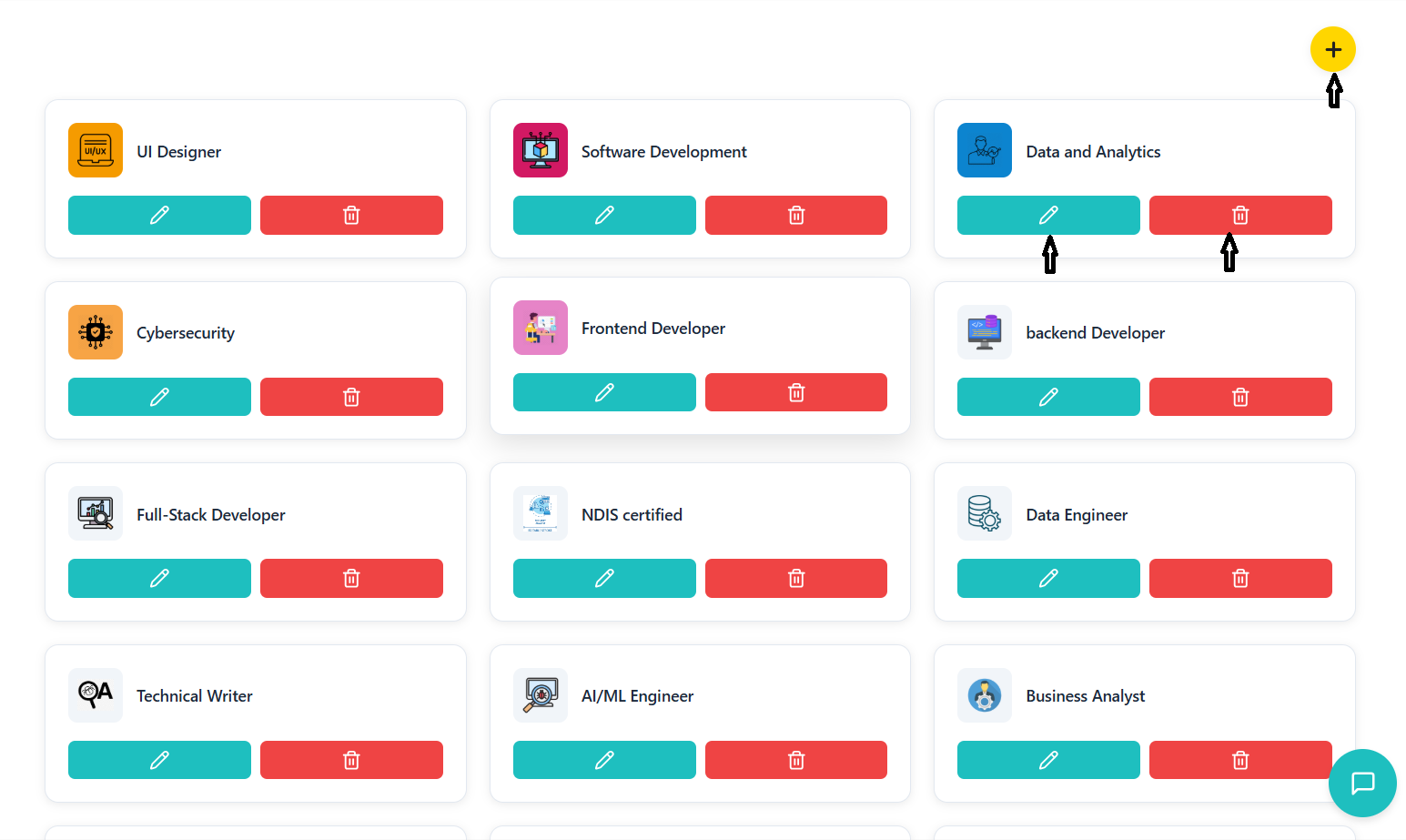
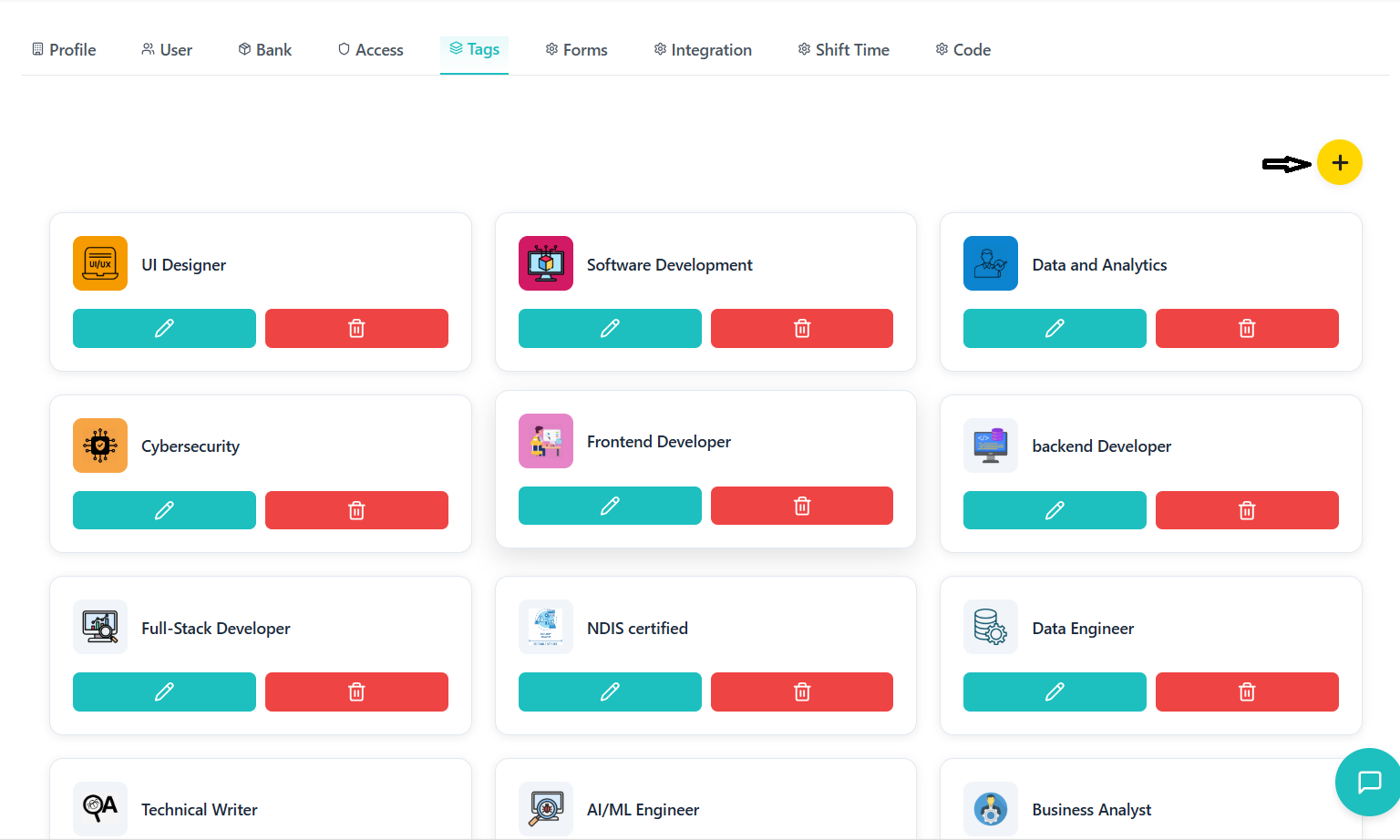
- Create Tag: Add new tag with name and icon
- Edit Tag: Modify existing tag properties
- Delete Tag: Remove tag from system
- Search Tags: Find tags by name
- Tag Usage: View where tags are being used
User Interface
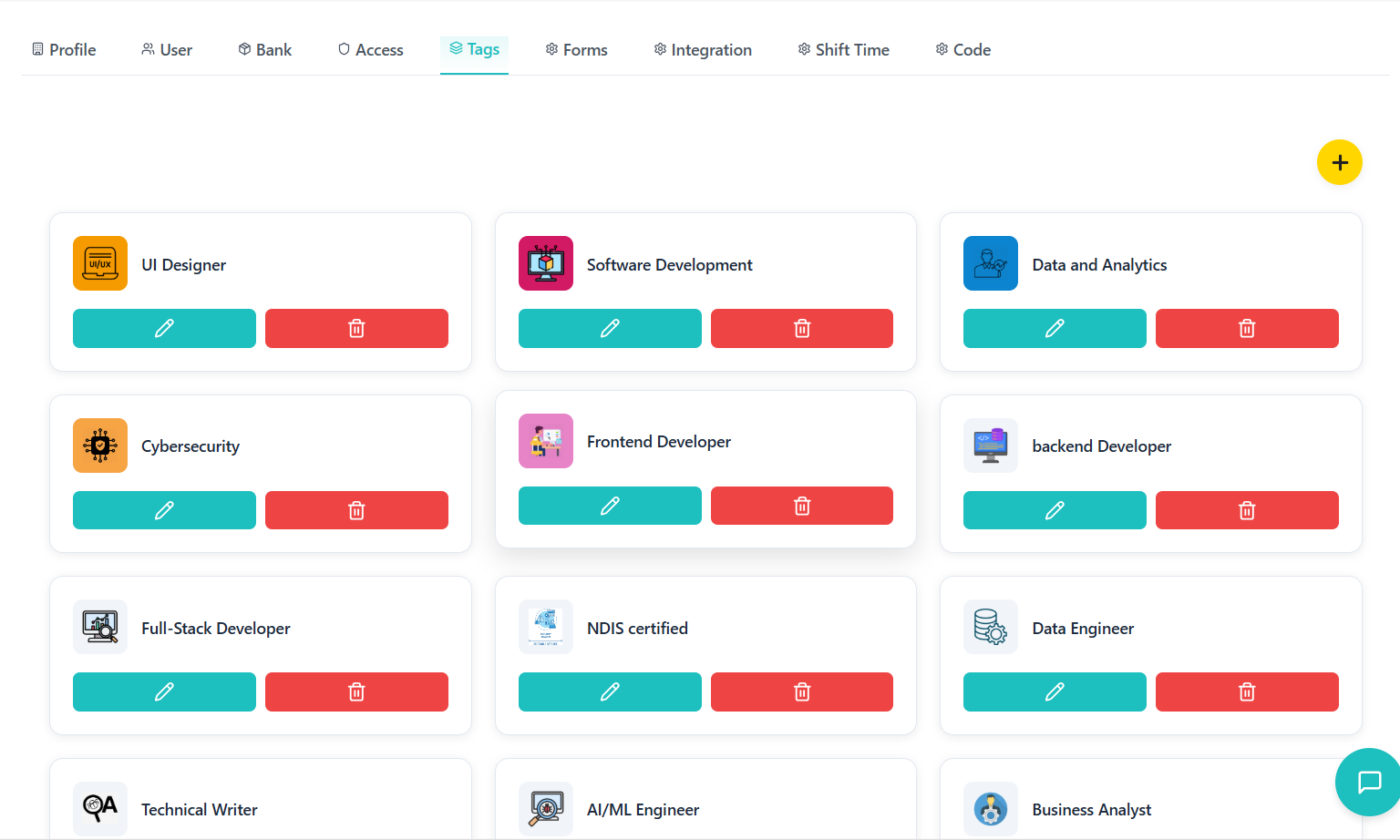
- Card Layout: Tags displayed in responsive grid
- Visual Representation: Icon and name clearly displayed
- Action Buttons: Edit and delete options on each card
- Hover Effects: Visual feedback on interaction
- Empty State: Helpful message when no tags exist
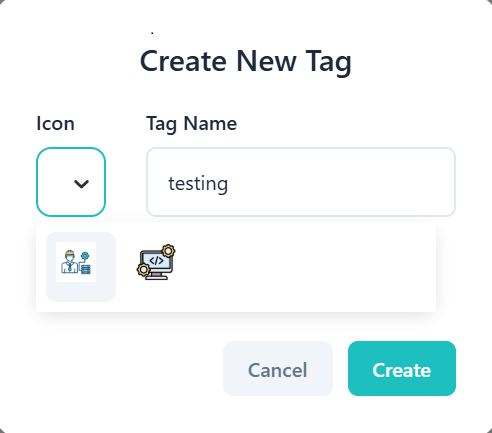
- Form Fields: Tag name and icon selection
- Icon Grid: Visual icon selection interface
- Color Picker: Custom background color selection
- Live Preview: Real-time preview of selected icon
- Validation: Ensures required fields are completed
Data Management
- Tags are fetched on component mount using organization ID
- Icons are loaded from separate API endpoint
- New tags are validated before creation
- Tag updates immediately refresh the display
- Delete operations require confirmation
Forms & Templates Management
Invoice templates and document form management with rich content editing and preview capabilities.
Template System
- Template Name: Descriptive name for identification
- Template Type: Classification of template purpose
- Header Section: Top section with customizable content
- Body Sections: Multiple content areas with flexible layout
- Footer Section: Bottom section with static/dynamic content
- Background Color: Customizable template background
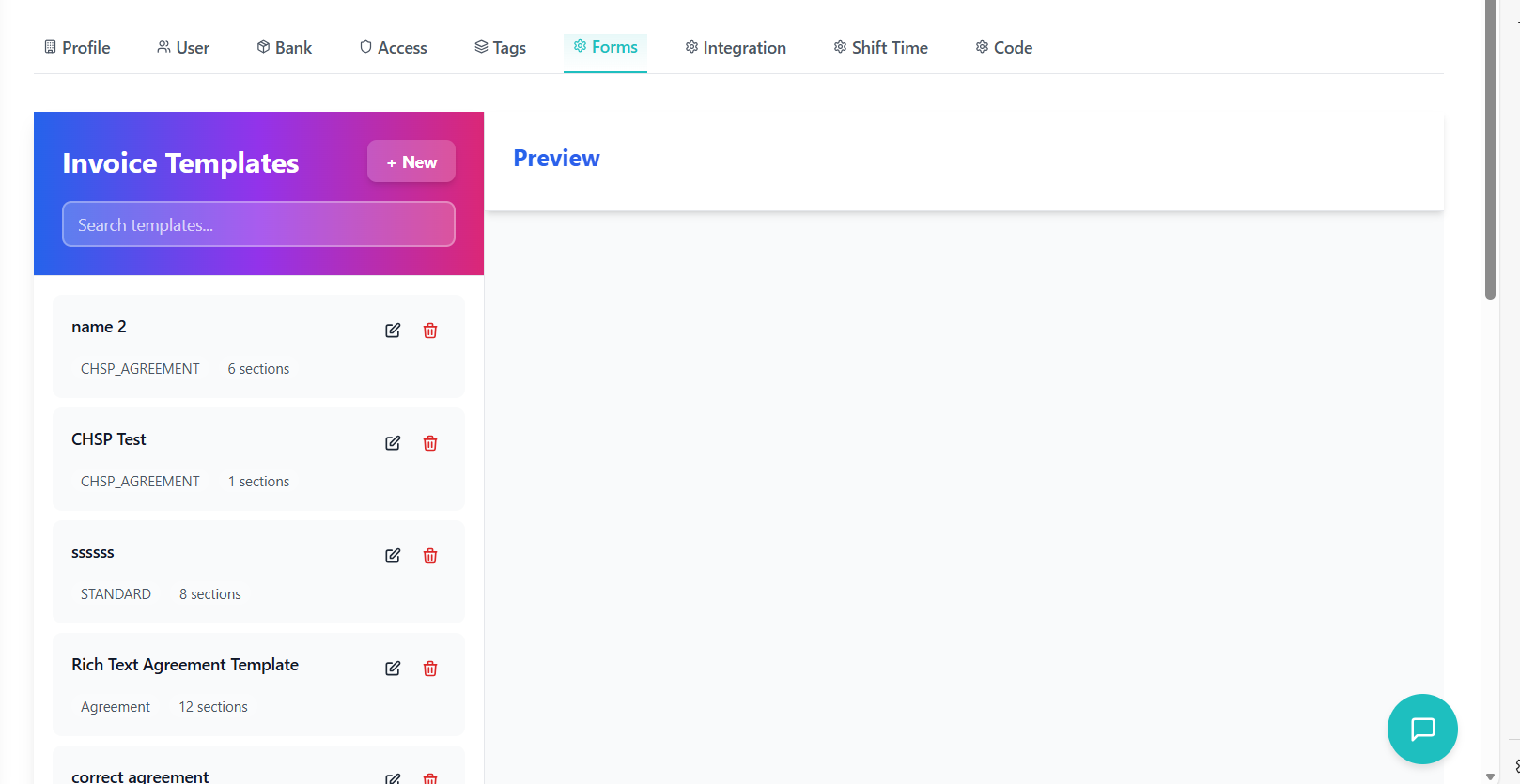
- Section Types: Different content types (TEST_DETAILS, etc.)
- Layout Control: Full-width or half-width sections
- Order Index: Controls section display order
- Visibility Toggle: Show/hide sections as needed
- Rich Content: Support for formatted text with styles
- Auto-expand: Sections can grow based on content
- Text Formatting: Bold, italic, underline options
- Color Selection: Custom text colors
- Font Sizes: Multiple font size options
- Alignment: Left, center, right text alignment
- Bullet Points: Support for lists and bullet points
- Line Height: Customizable line spacing
Template Operations
- Template Wizard: Step-by-step template creation
- Section Builder: Visual section creation interface
- Content Editor: Rich text editor for section content
- Layout Preview: Real-time preview of template layout
- Validation: Ensures required fields are completed
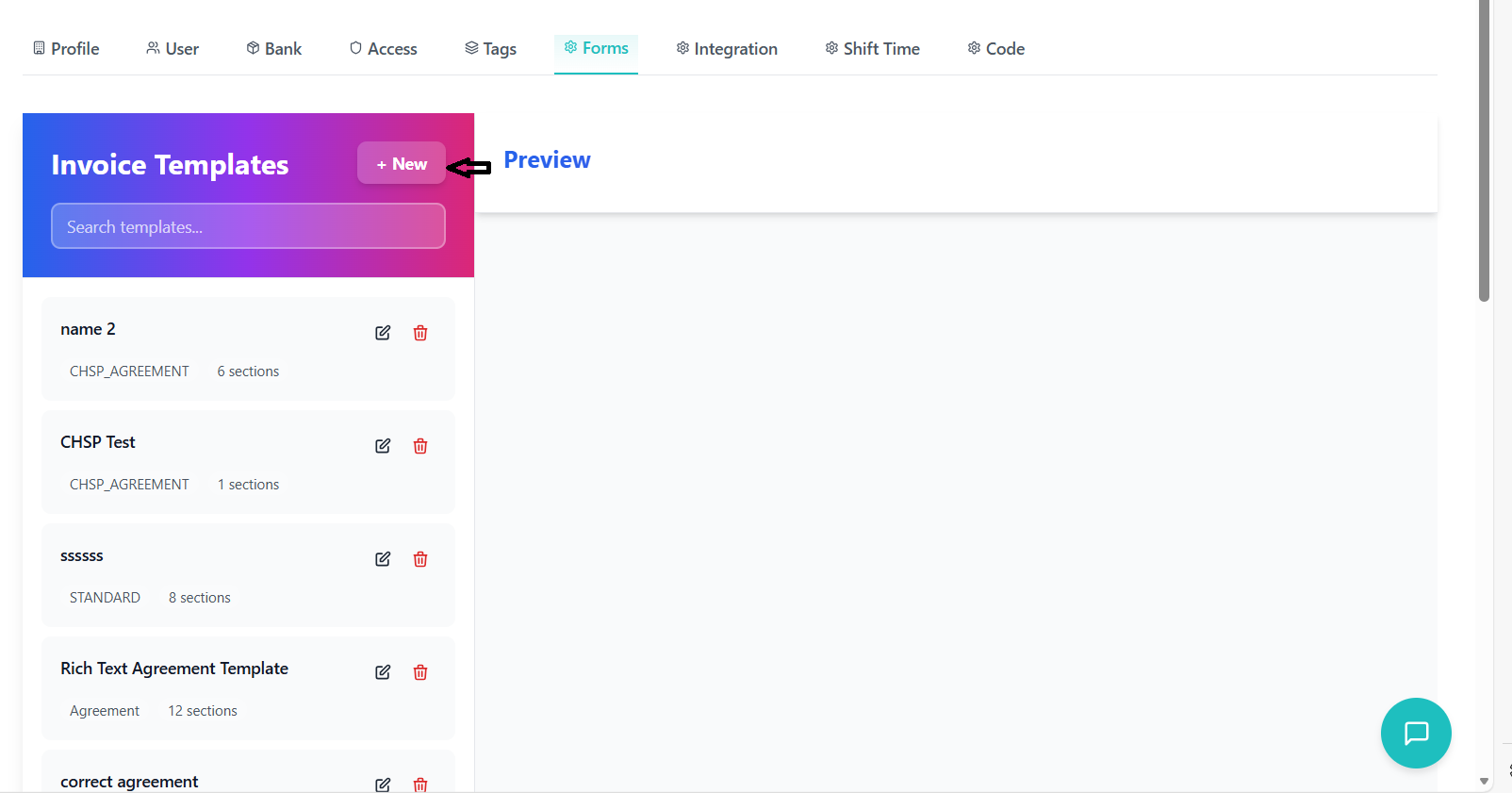
- Inline Editing: Direct editing of template properties
- Section Reordering: Drag-and-drop section rearrangement
- Content Updates: Modify existing section content
- Layout Changes: Adjust section widths and visibility
- Preview Updates: Real-time preview of changes
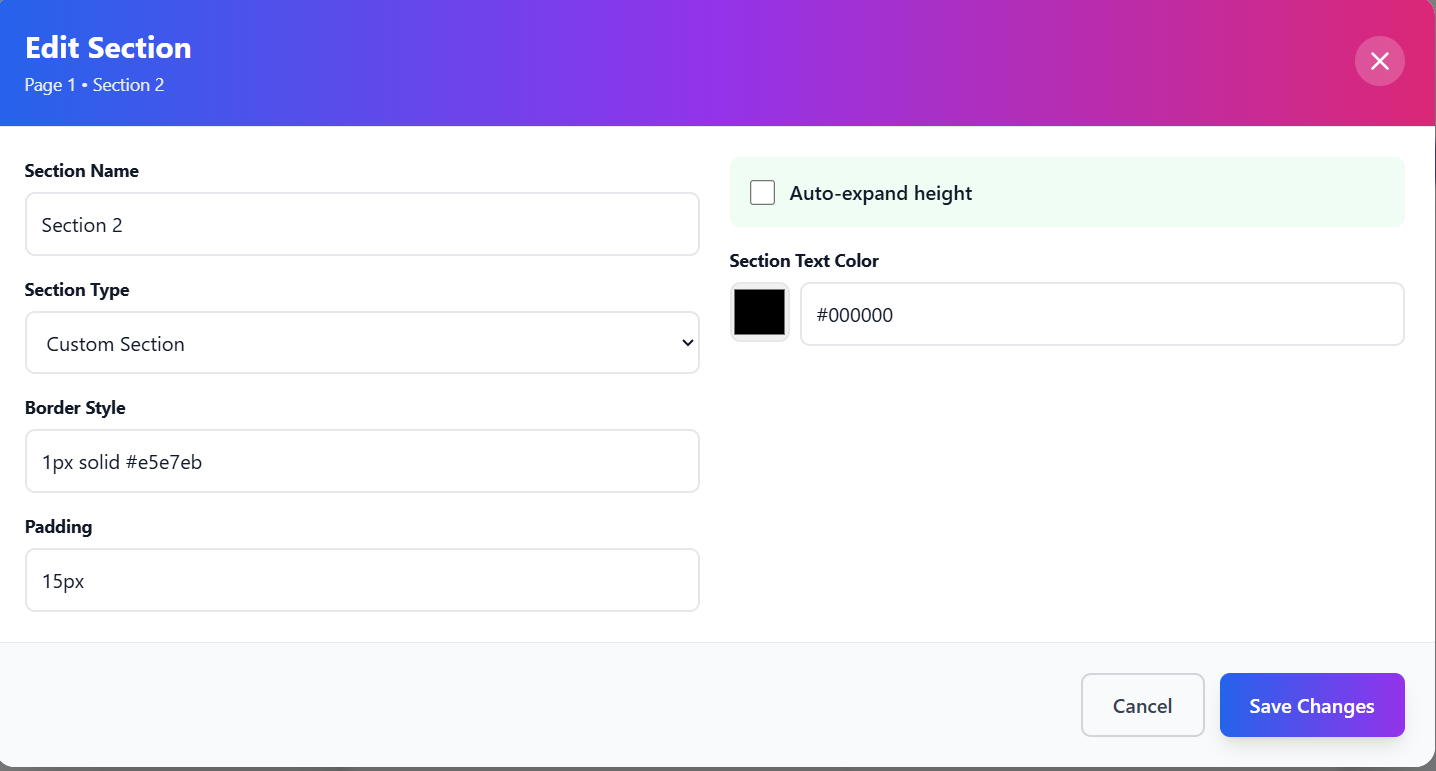
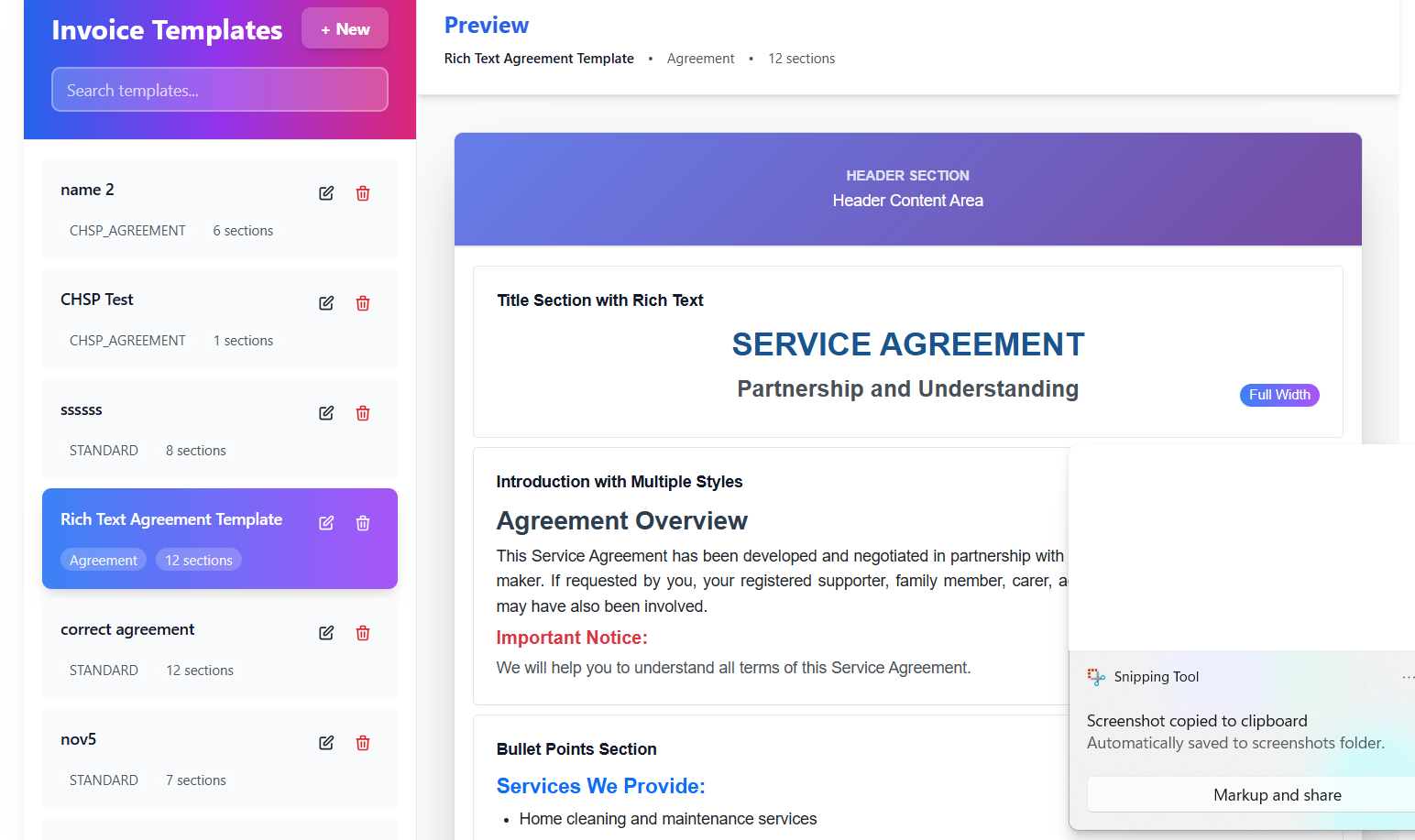
- PDF Simulation: Accurate PDF layout simulation
- Responsive Display: Adapts to different screen sizes
- Section Highlighting: Visual indicators for different sections
- Content Rendering: Proper display of rich content
- Print Preview: Shows how template will look when printed
API Integration
GET /api/templates/organization/{organizationId}- Fetch all templatesPOST /api/templates- Create new templatePUT /api/templates/{id}- Update existing templateDELETE /api/templates/{id}- Remove templateGET /api/templates/{id}/preview- Generate template preview
Service Integration Management
External service integration and API connection management with secure credential handling.
Service User Management
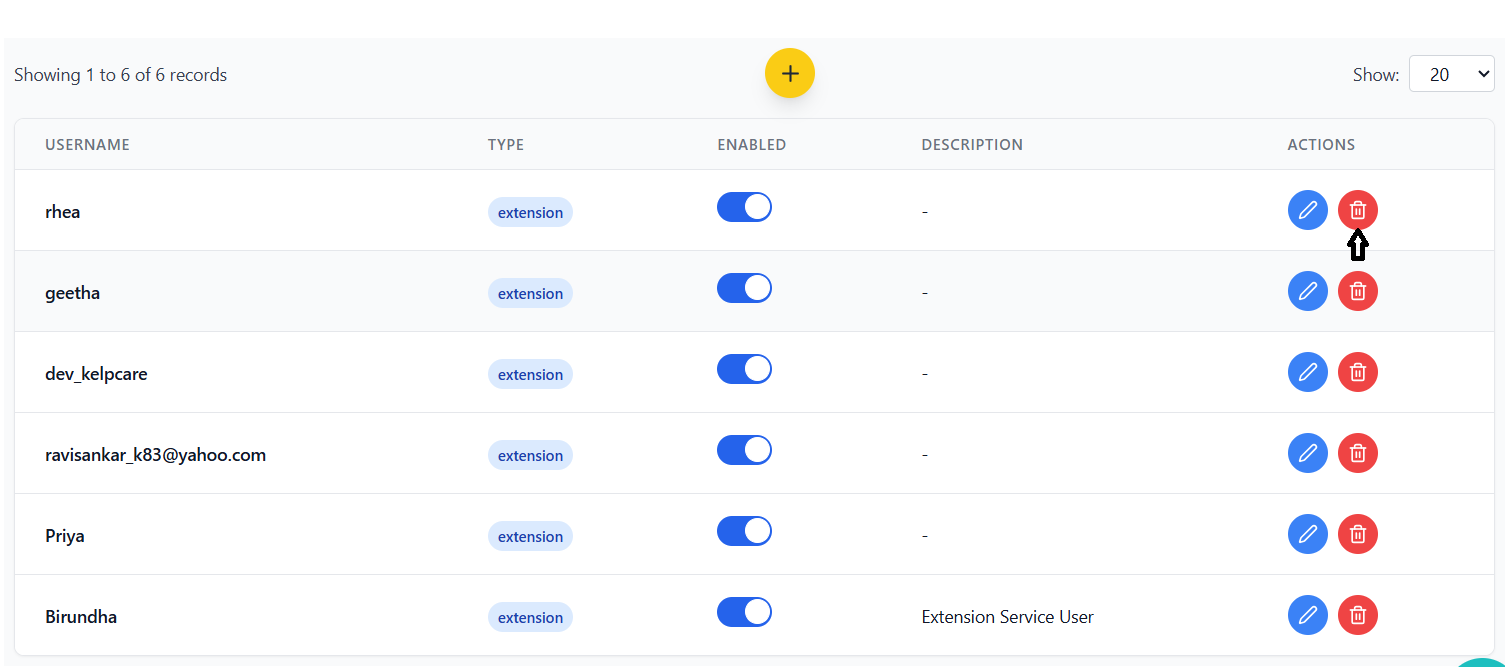
- Extension Users: Internal system service accounts
- Xero Integration: Accounting software integration
- QuickBooks Integration: Financial management integration
- Custom Integrations: Support for additional services
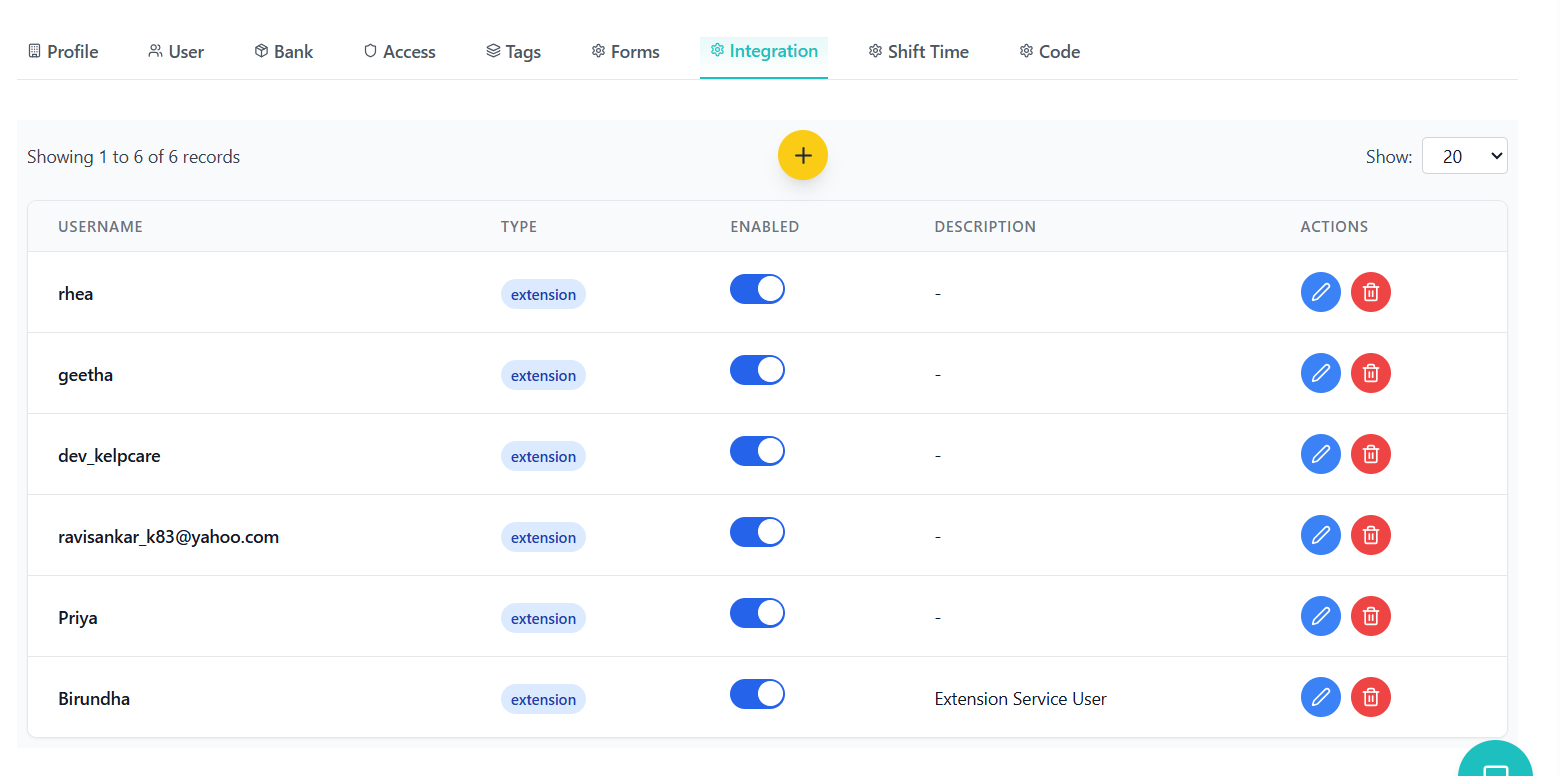
- New Service User: Create completely new service account
- From Employee: Convert existing employee to service user
- Auto-generated Credentials: System-generated usernames/passwords
- Manual Configuration: Custom username and password setup
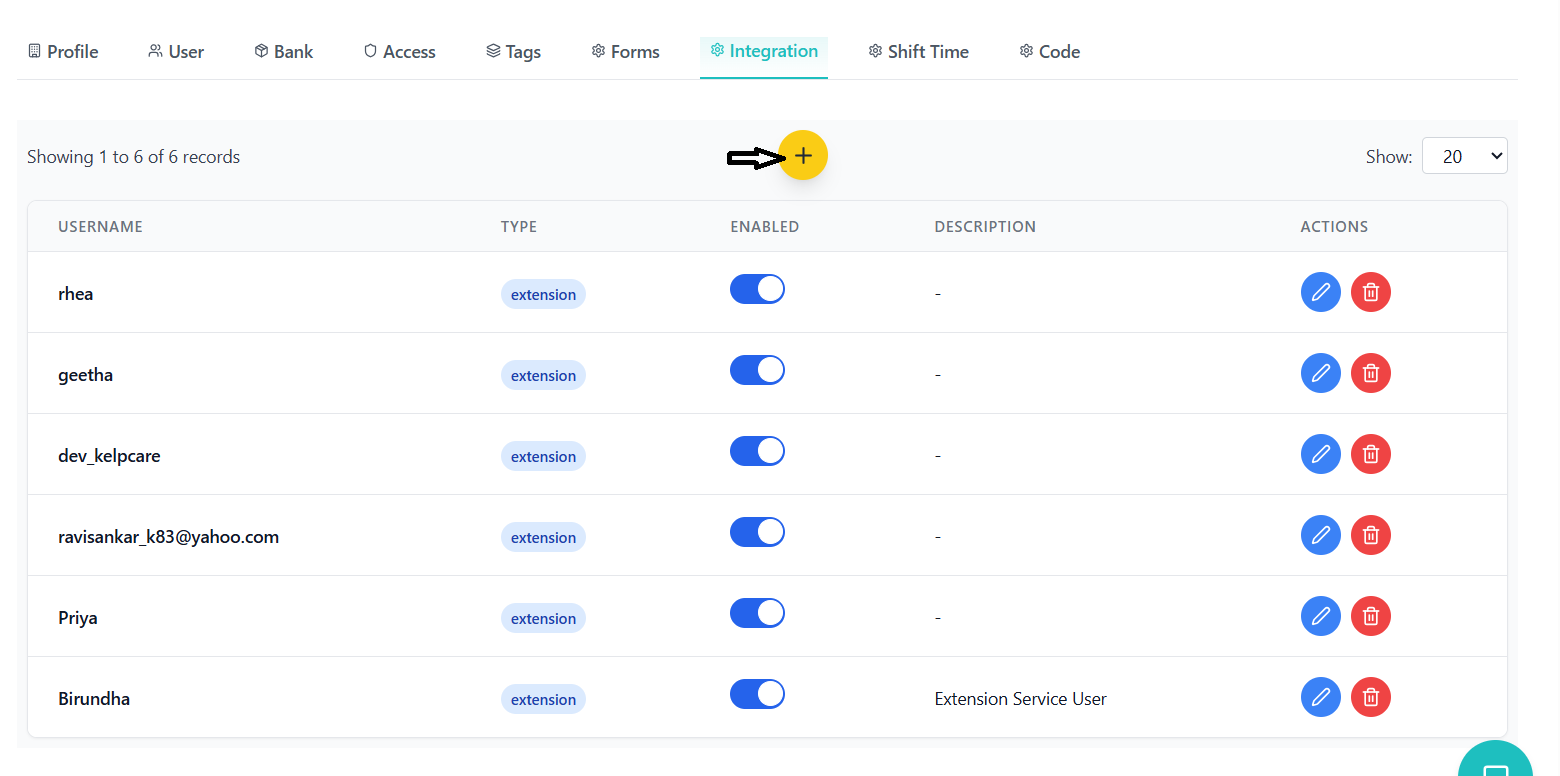
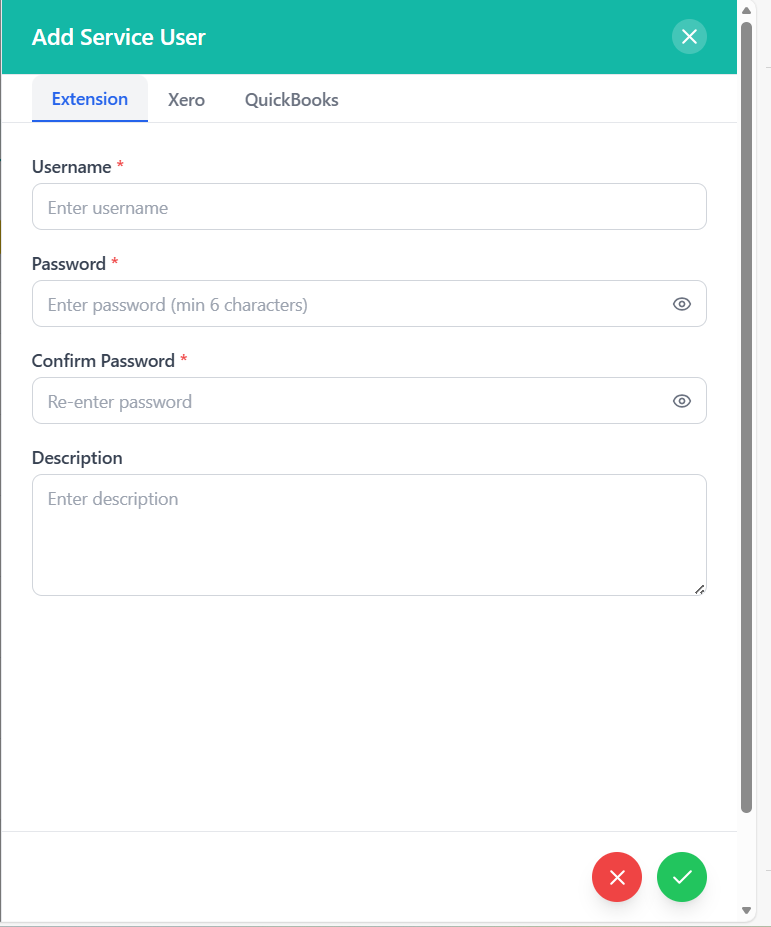
- Password Requirements: Minimum 6 characters for passwords
- Credential Encryption: Secure storage of service credentials
- Access Control: Role-based access to service management
- Activity Logging: Track service user activities
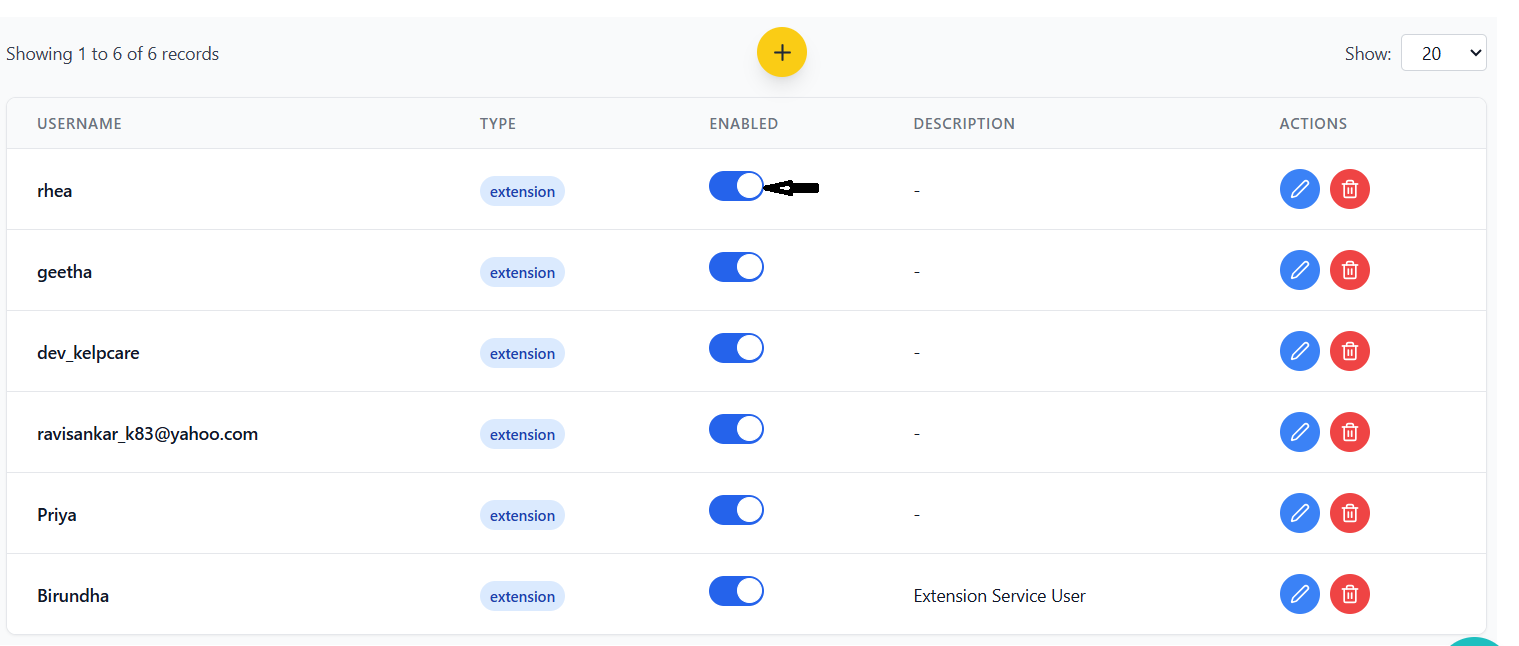
- Enable/Disable Toggle: Quickly activate/deactivate services
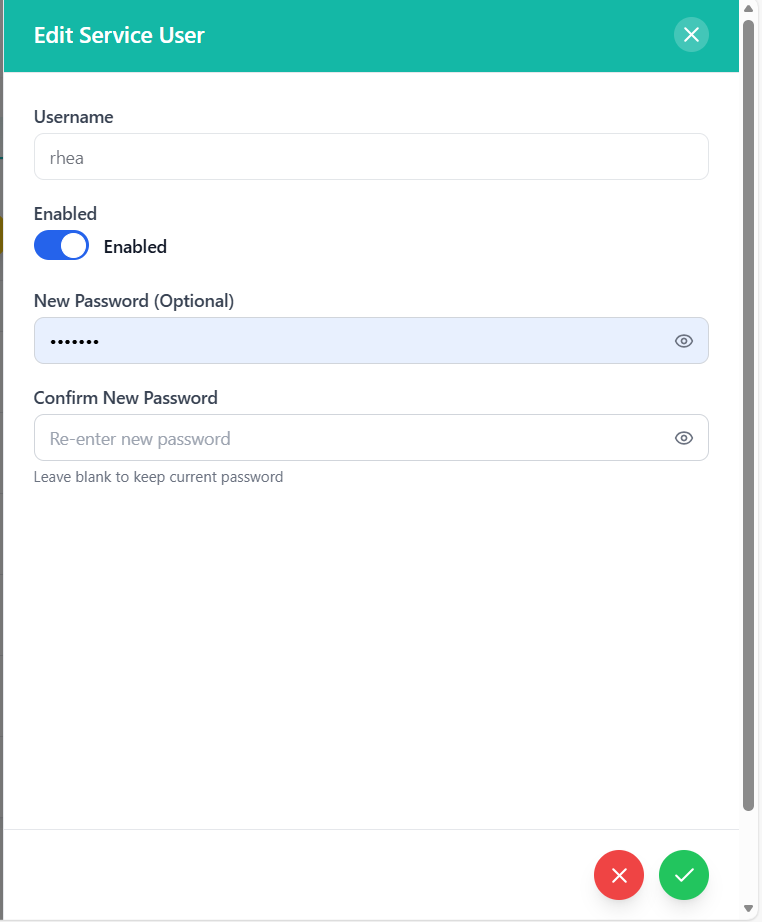
Integration Workflow
- Service Selection: Choose integration type (Extension, Xero, QuickBooks)
- Credential Configuration: Set up authentication details
- Permission Assignment: Assign appropriate access levels
- Connection Testing: Verify integration connectivity
- Activation: Enable the service for use
- Status Monitoring: Track service health and availability
- Credential Rotation: Regular password updates
- Access Review: Periodic permission audits
- Usage Analytics: Monitor service utilization
- Troubleshooting: Diagnostic tools for integration issues
API Integration
GET /api/service-users/organization/{organizationId}- Fetch service usersPOST /api/service-users/extension- Create extension service userPOST /api/service-users/from-employee- Create from existing employeePUT /api/service-users/{id}- Update service userDELETE /api/service-users/{id}- Remove service user
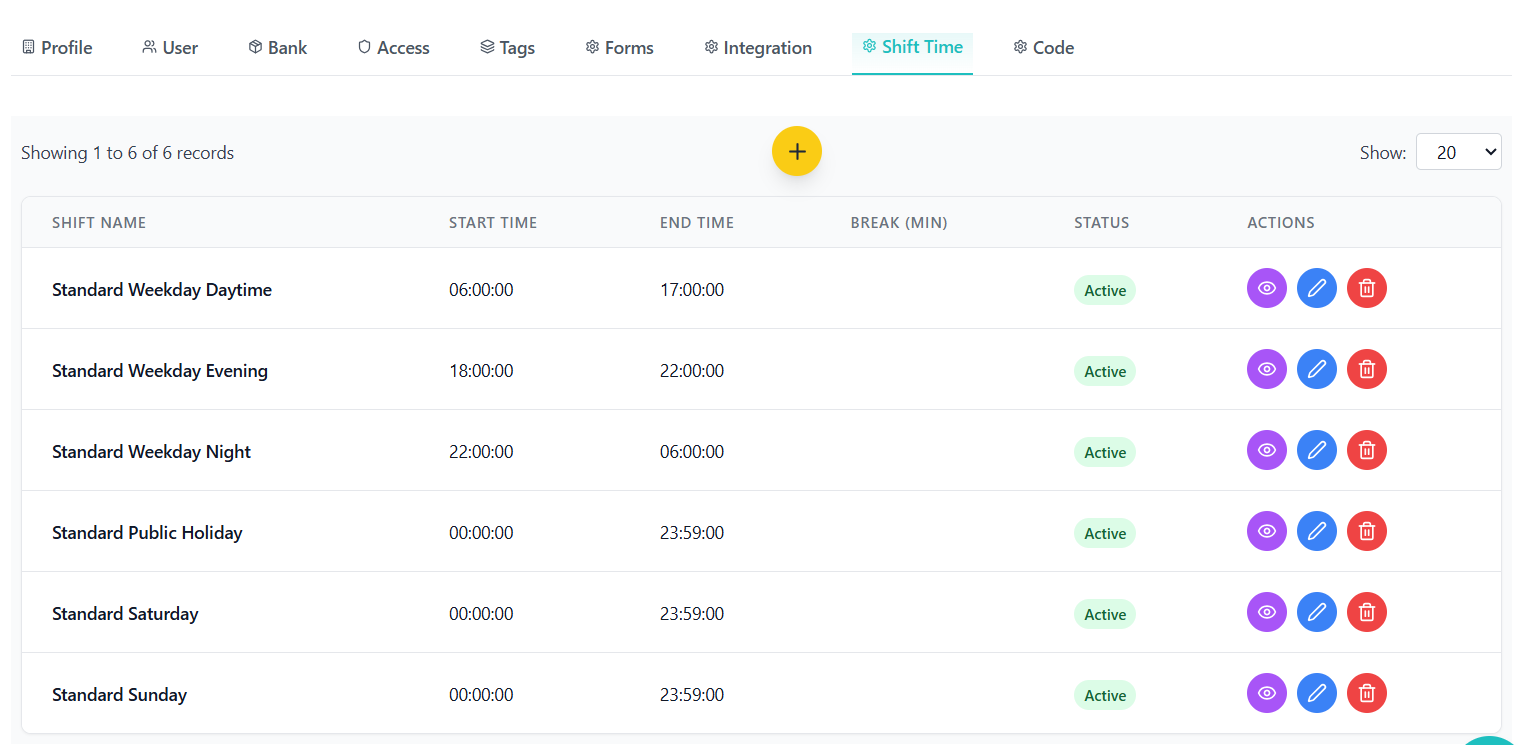
Work Shift Time Management
Work shift configuration and time management with flexible scheduling and break management.
Shift Configuration
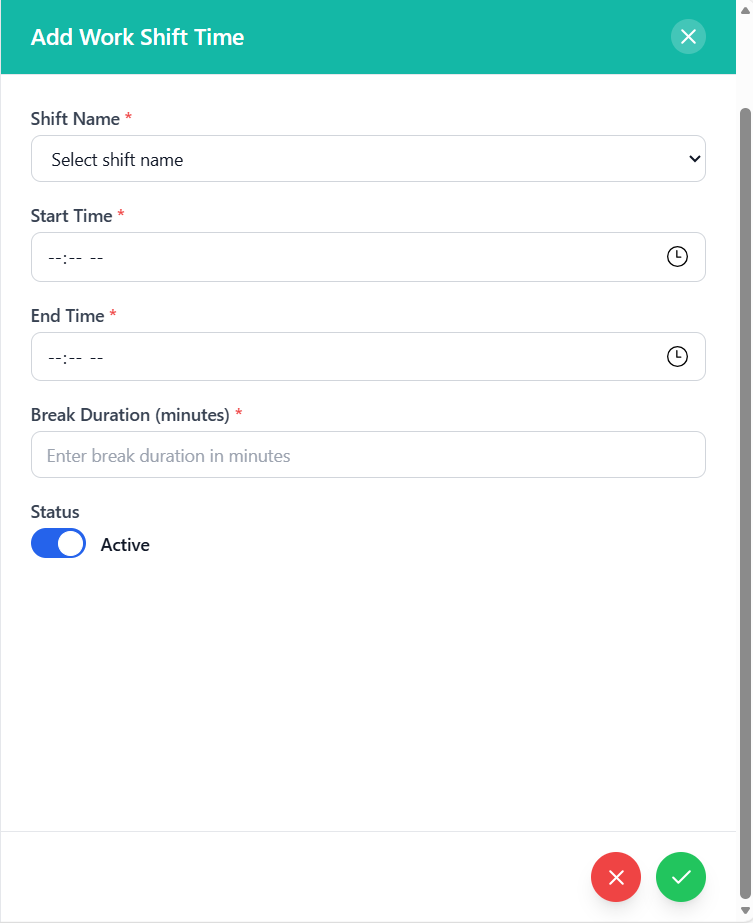
- Shift Name: Descriptive name for shift identification
- Start Time: Shift commencement time (required)
- End Time: Shift conclusion time (required)
- Break Duration: Scheduled break time in minutes (required)
- Status: Active or inactive shift status
- Organization Context: Shifts are organization-specific
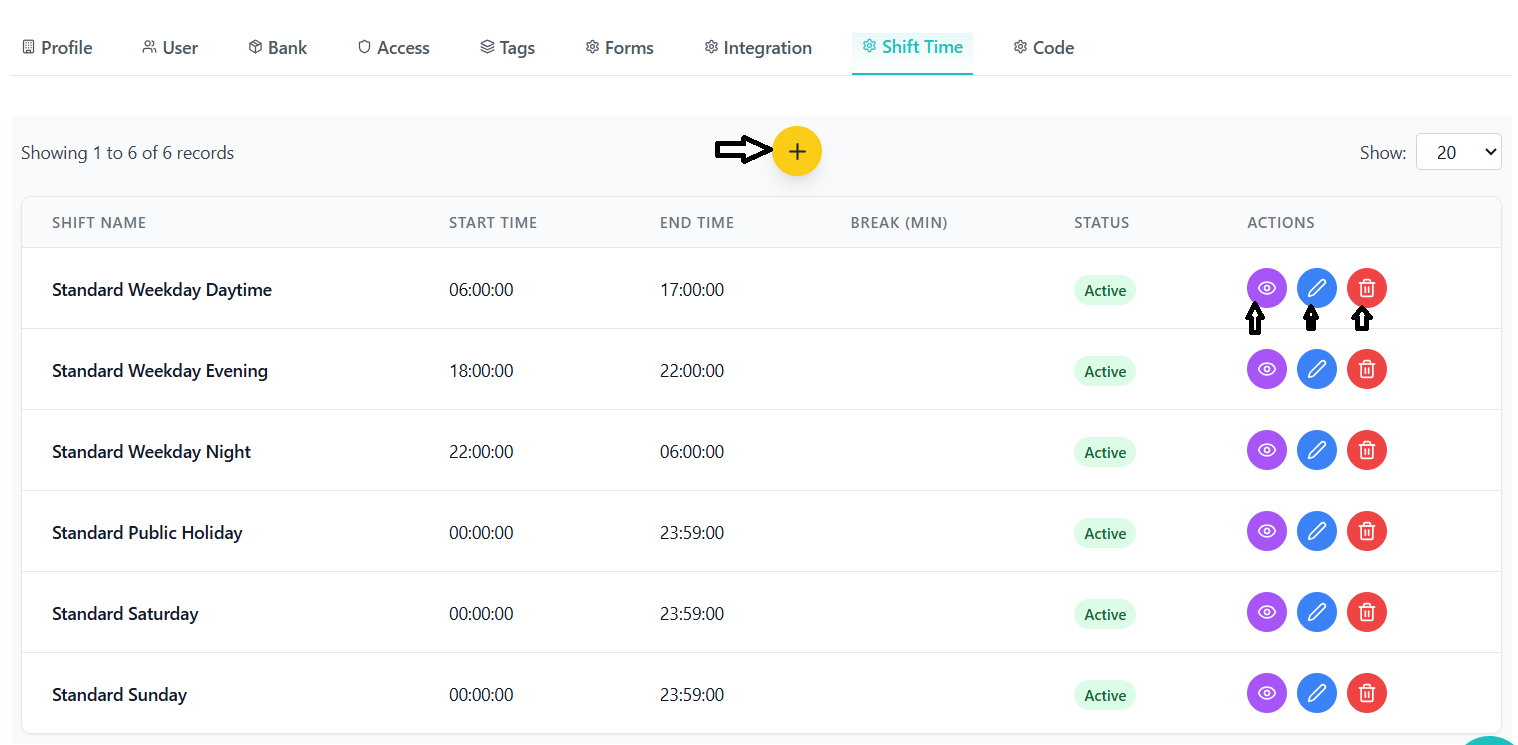
- Create Shift: Add new shift with time configuration
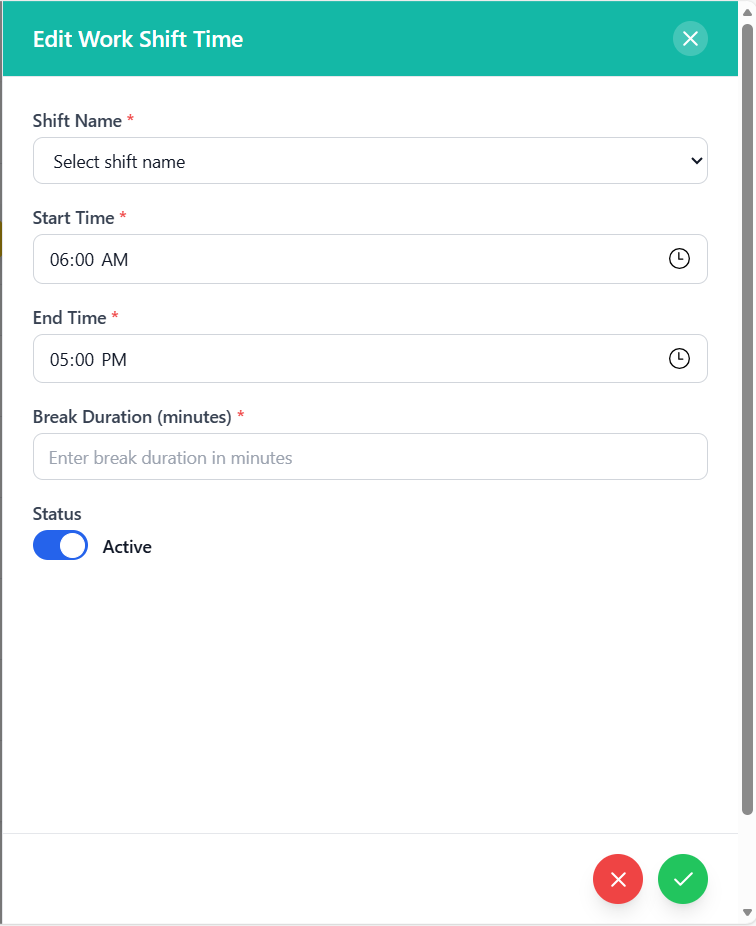
- Edit Shift: Modify existing shift parameters
- Delete Shift: Remove shift from system
- View Details: Comprehensive shift information
- Status Toggle: Activate/deactivate shifts
- Required Fields: Shift name, start time, end time, break duration
- Time Validation: End time must be after start time
- Break Validation: Break duration must be positive number
- Unique Names: Shift names must be unique per organization
- Format Validation: Proper time format enforcement
User Interface
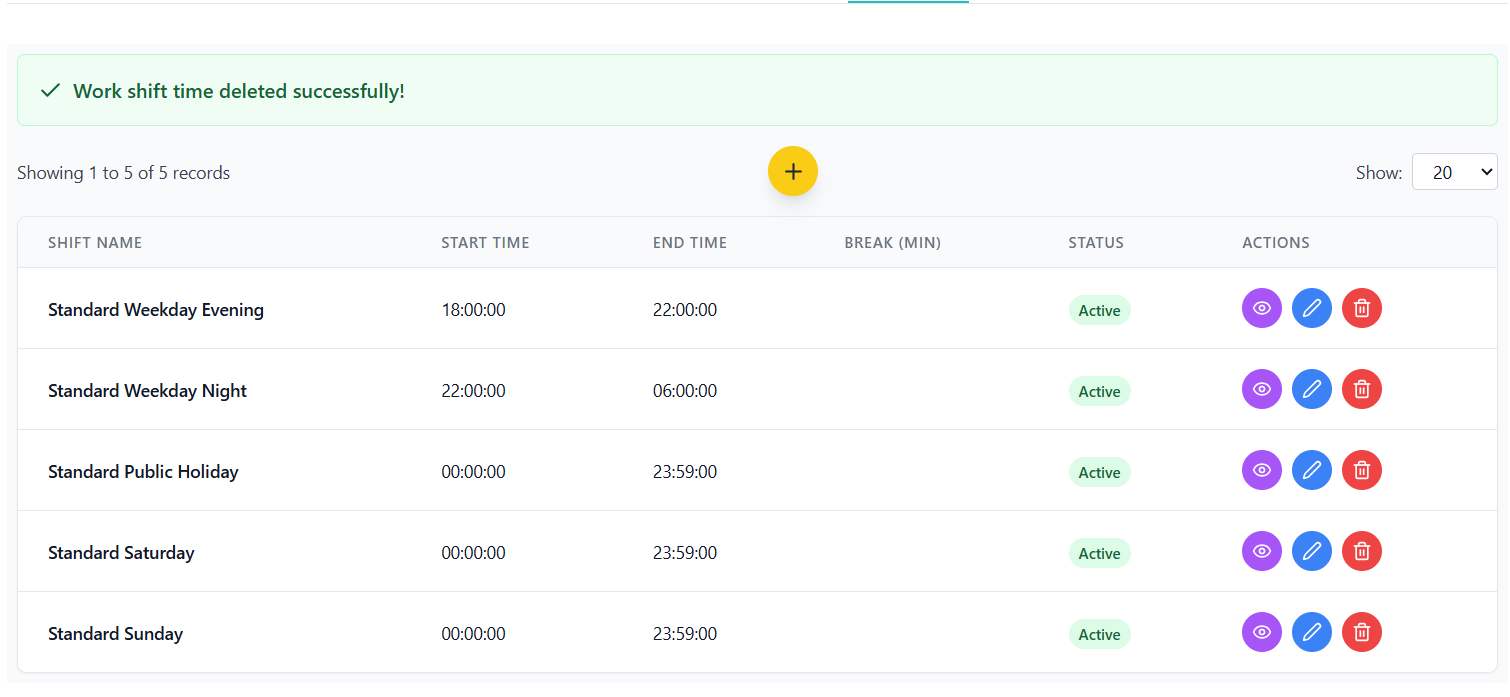
- Comprehensive Display: All shift information in organized table
- Status Indicators: Clear visual indicators for active/inactive shifts
- Time Formatting: Consistent time display format
- Action Buttons: View, edit, and delete options
- Responsive Design: Adapts to different screen sizes
- Create Form: Comprehensive shift creation interface
- Edit Form: Pre-filled form for shift modifications
- View Modal: Detailed shift information display
- Time Pickers: User-friendly time selection controls
- Validation Feedback: Clear error messages and guidance
Data Management
- Shifts are fetched on component mount using organization ID
- Shift names are loaded from separate API endpoint
- New shifts are validated before creation
- Shift updates immediately refresh the display
- Delete operations remove shifts from the system
Code Management System
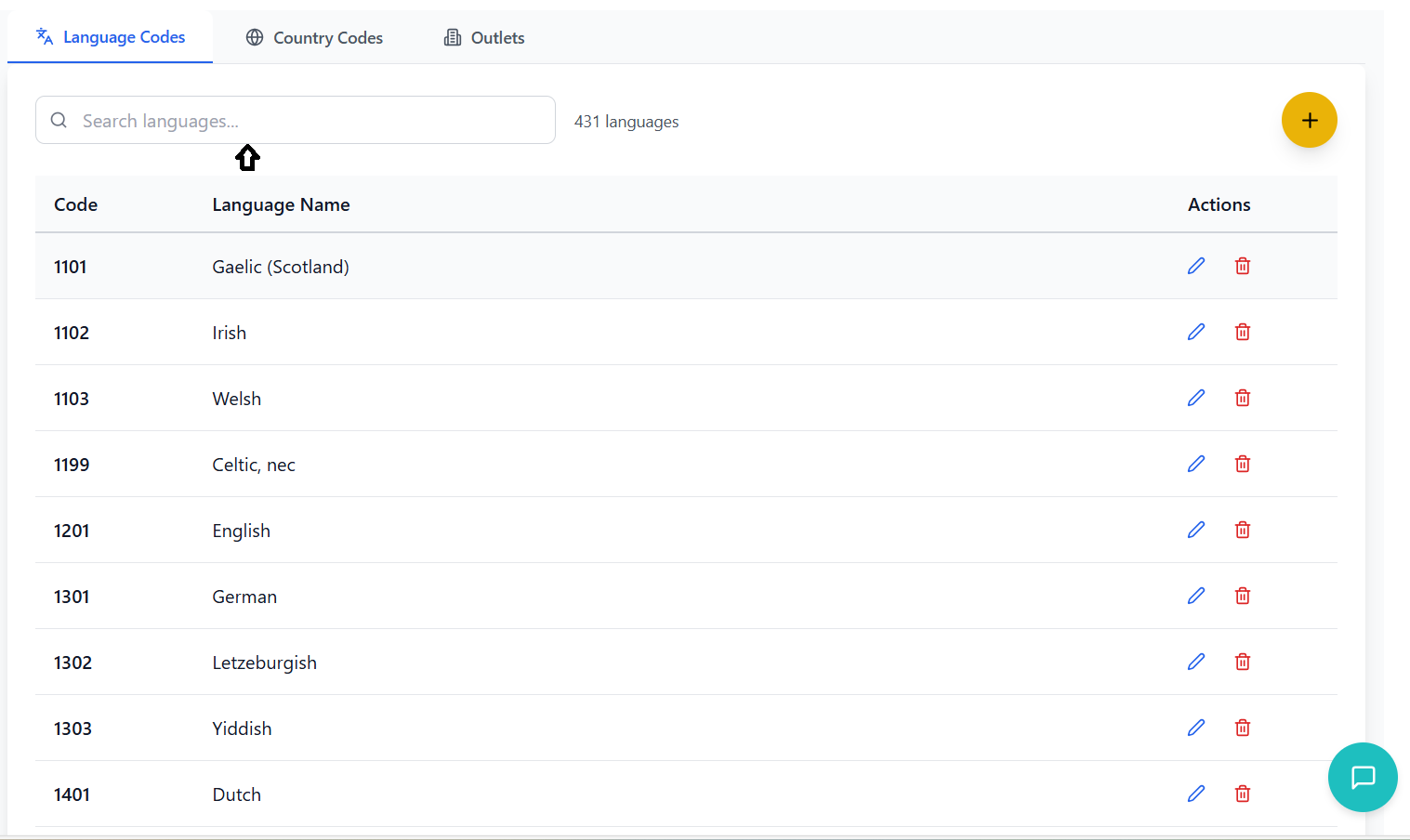
System codes and configuration management with multi-tab interface for different code types.
Code Types
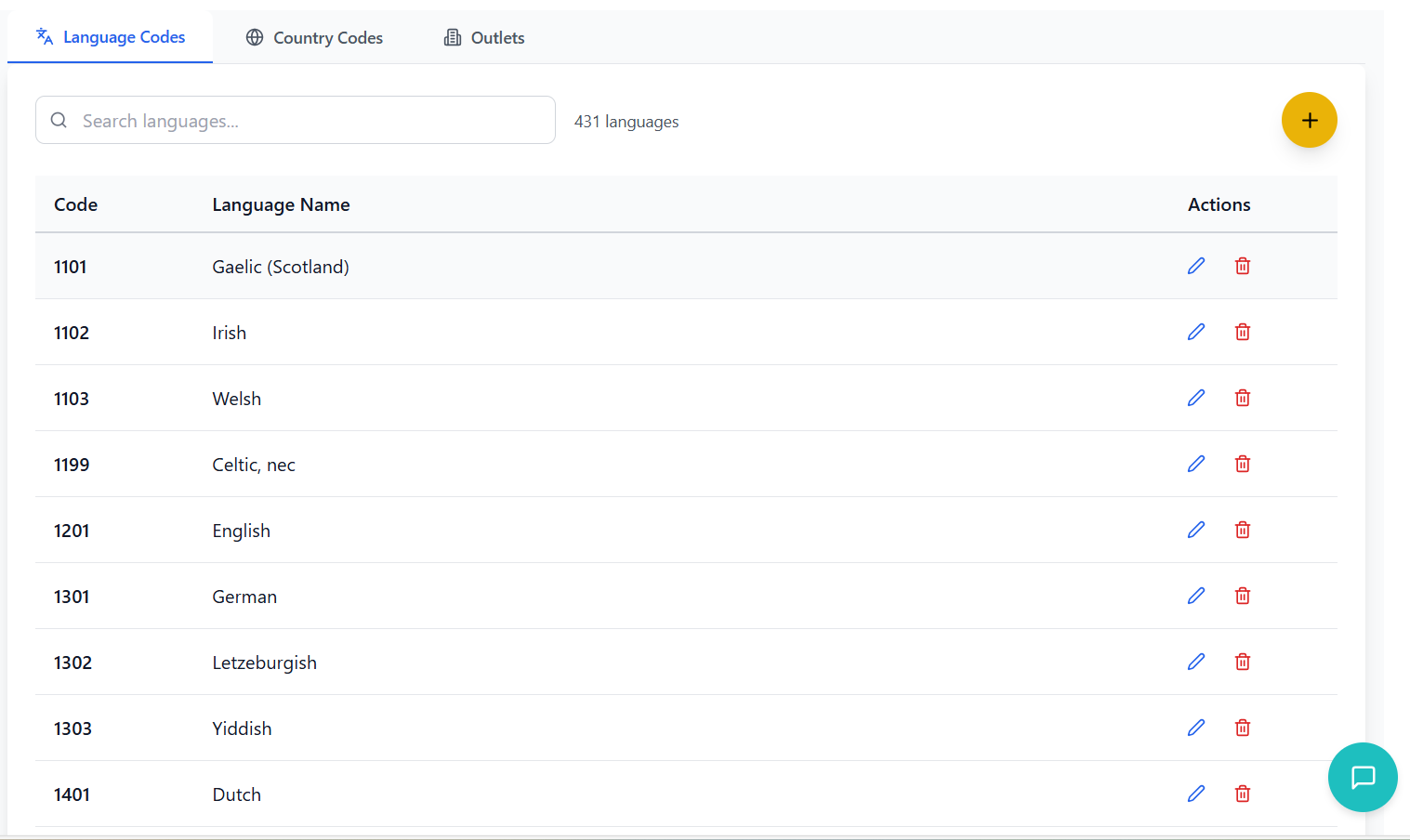
- Language Standards: ISO language codes and names
- Code Format: Standardized language code format (e.g., en, es, fr)
- Display Names: Human-readable language names
- Status Tracking: Active/inactive language status
- Organization Context: Organization-specific language preferences
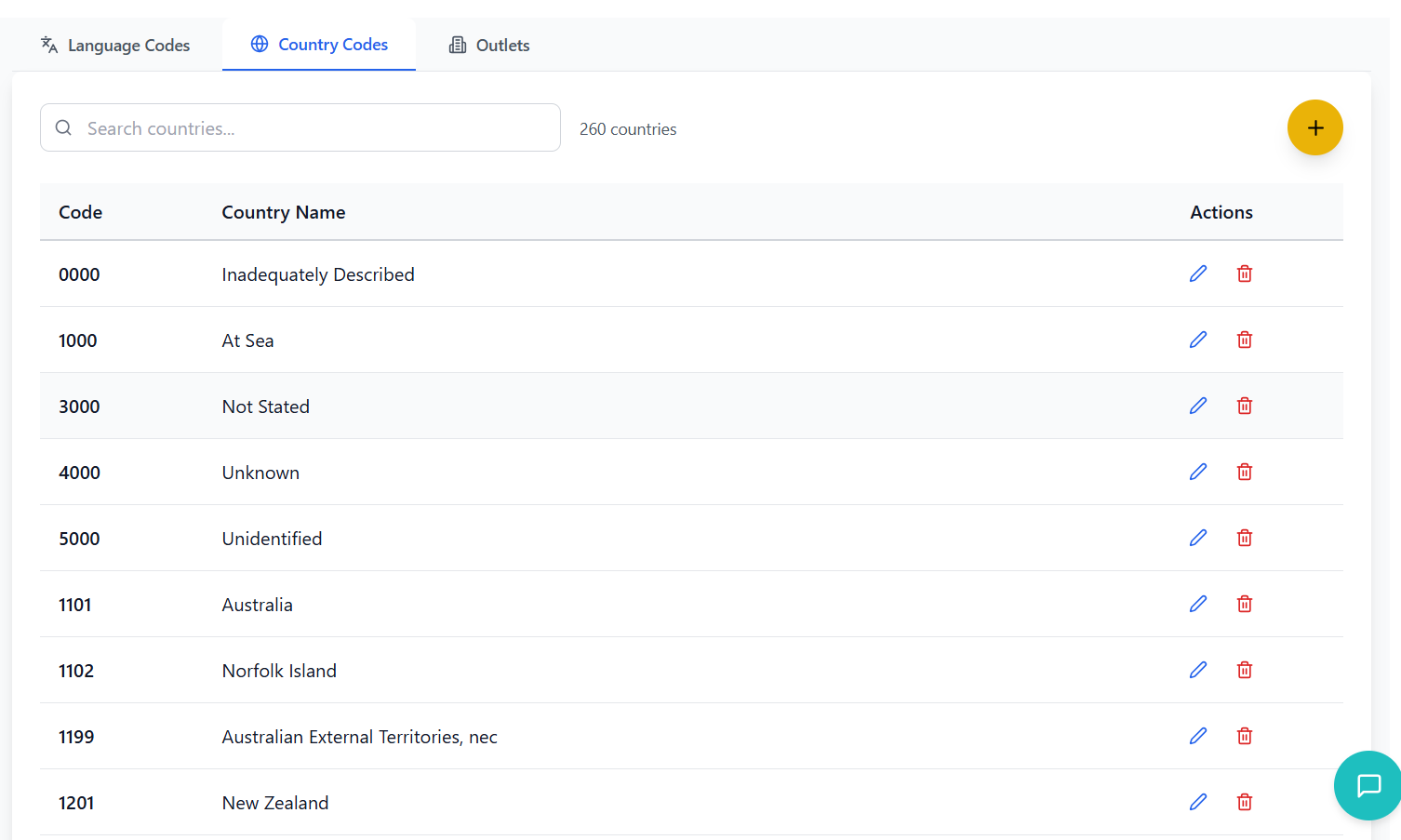
- Country Standards: ISO country codes and names
- Code Format: Standardized country code format (e.g., AU, US, GB)
- Display Names: Official country names
- Region Mapping: Country to region relationships
- Phone Codes: International dialing codes
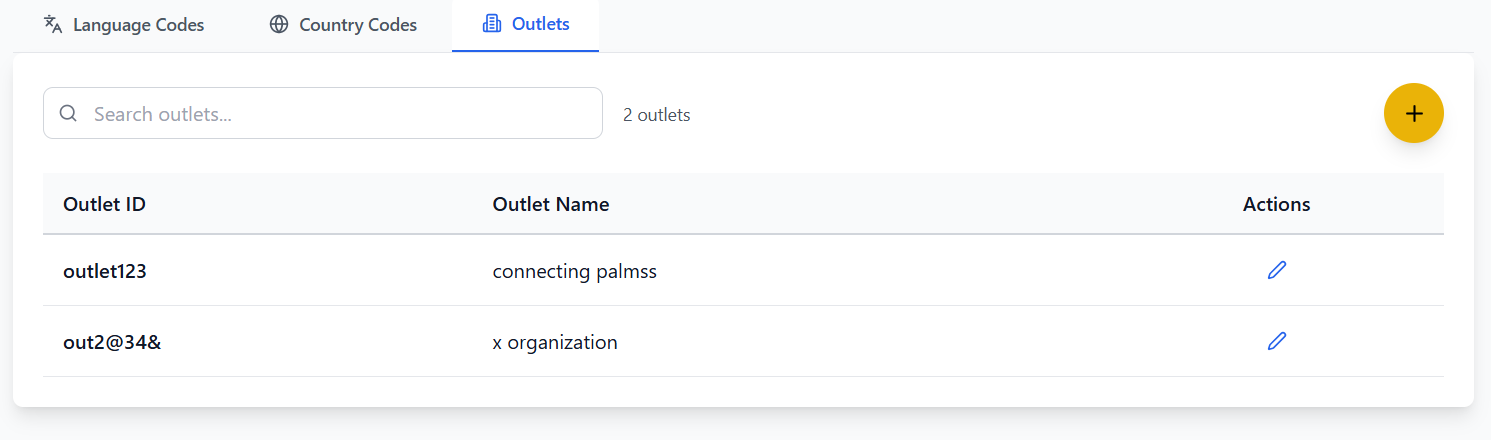
- Outlet Identification: Unique outlet codes and names
- Location Data: Physical address and contact information
- Status Tracking: Active/inactive outlet status
- Organization Context: Outlets belong to specific organizations
- Activity Tracking: Outlet usage and performance metrics
Interface Components
- Tab Structure: Language Codes, Country Codes, Outlets
- Visual Indicators: Icons and labels for each tab
- Active State: Clear visual indication of current tab
- Smooth Transitions: Animated tab switching
- Responsive Design: Mobile-friendly tab navigation
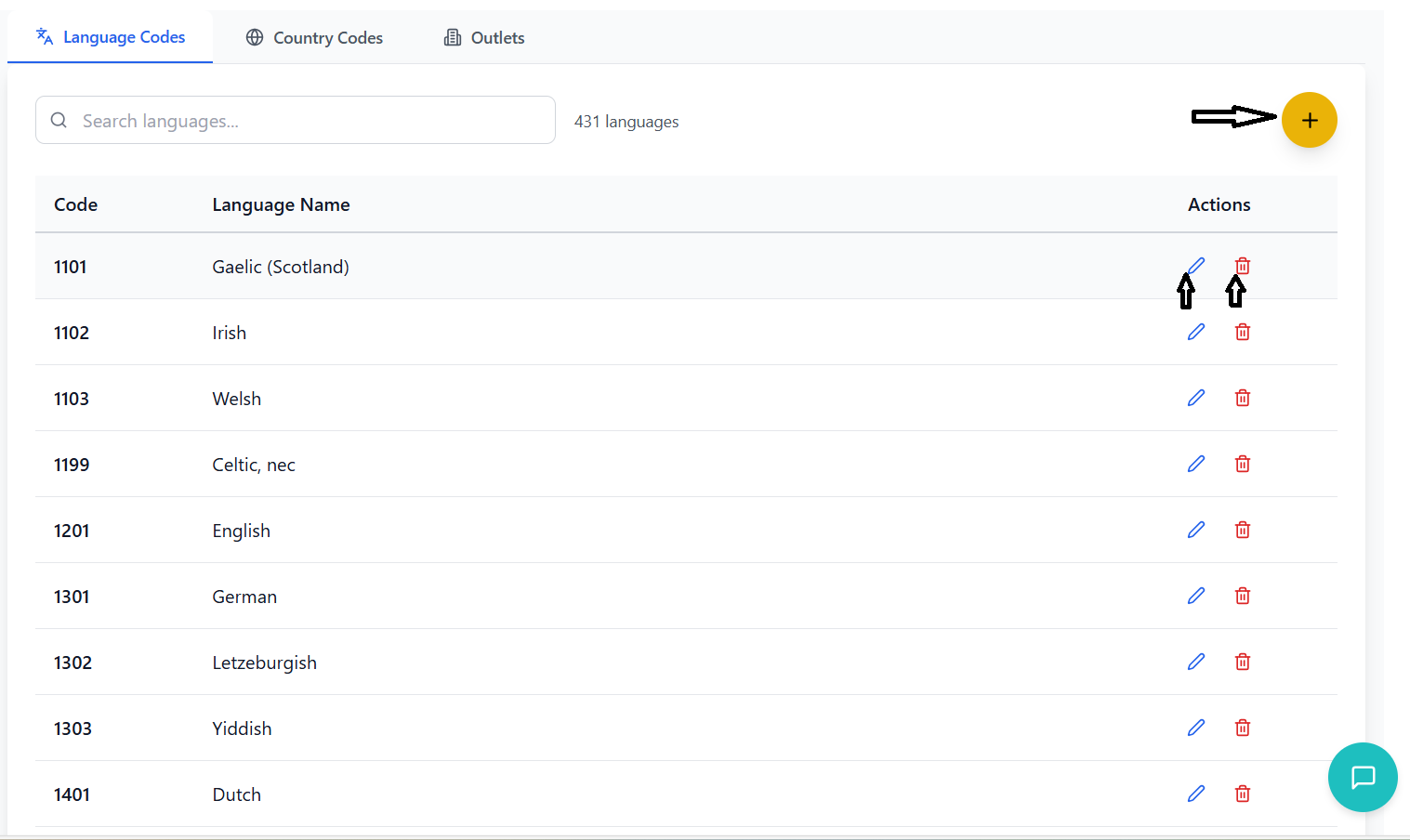
- Table Layout: Organized data presentation
- Search Functionality: Quick code searching
- Sorting Options: Column-based sorting
- Pagination: Manage large datasets efficiently
- Action Buttons: Edit, delete, and view options
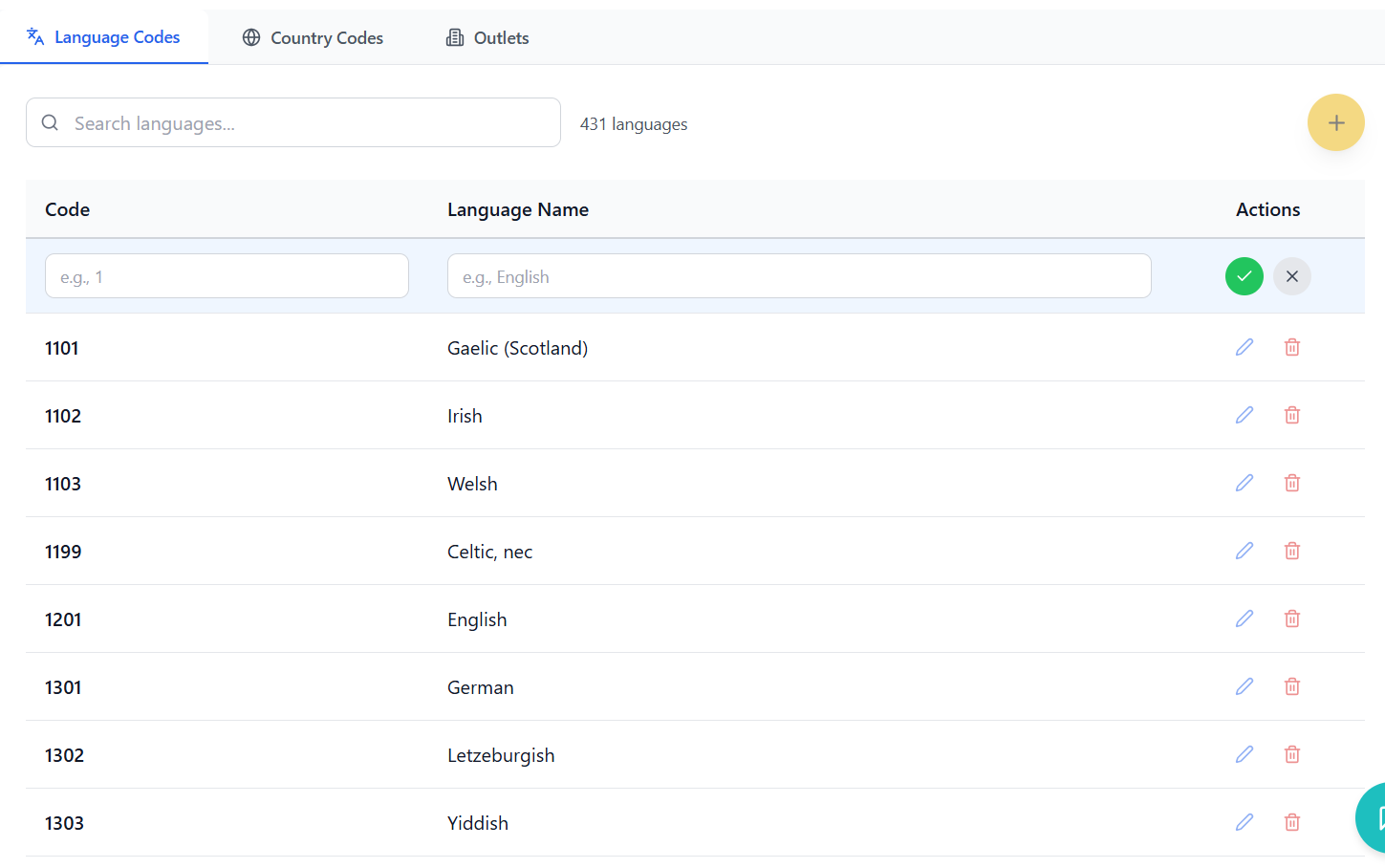
Data Management
- Centralized code management across multiple categories
- Standardized code formats and validation
- Organization-specific code customization
- Bulk operations for code management
- Audit trail for code changes
API Integration & Data Flow
Backend API integration patterns, data flow management, and external service connectivity.
API Architecture
- Resource-based URLs: Clear, predictable endpoint structure
- HTTP Methods: Proper use of GET, POST, PUT, DELETE
- Status Codes: Meaningful HTTP status code responses
- Error Handling: Consistent error response format
- Versioning: API version management for compatibility
- JWT Tokens: Secure token-based authentication
- Role-based Access: Permission-based API access control
- Organization Context: Data scoped to user's organization
- API Keys: Service-to-service authentication
- Rate Limiting: Protection against API abuse
- Input Validation: Server-side data validation
- Schema Validation: JSON schema validation for requests
- Business Logic: Domain-specific validation rules
- Error Responses: Detailed validation error messages
- Data Sanitization: Protection against malicious input
Frontend-Backend Integration
- Action Creators: API call initiation
- Reducers: State updates based on API responses
- Middleware: Async action handling (redux-thunk/redux-saga)
- Loading States: Visual feedback during API calls
- Error Handling: Graceful error state management
- Optimistic Updates: Immediate UI updates with rollback on failure
- Pessimistic Updates: Wait for API confirmation before UI updates
- Background Sync: Automatic data synchronization
- Cache Management: Intelligent data caching strategies
- Real-time Updates: WebSocket integration for live data
External Service Integration
- Radar API: Australian address validation and autocomplete
- Xero API: Accounting and financial data integration
- QuickBooks API: Financial management system integration
- Email Services: Transactional email delivery
- File Storage: Cloud storage for documents and images
Troubleshooting Guide
Common issues, error messages, and solutions for the Organization Profile System.
Common Issues
- Missing Tabs: Certain tabs not visible in interface
- Solution: Check user role permissions and feature access
- Permission Errors: "Access Denied" or similar messages
- Solution: Contact administrator to verify role assignments
- Organization Context: Unable to view organization data
- Solution: Ensure user is assigned to correct organization
- Missing Data: Expected data not appearing in tables
- Solution: Check organization ID and data filters
- Validation Errors: Form submissions failing validation
- Solution: Review error messages and correct input format
- Duplicate Entries: Unable to create duplicate records
- Solution: System prevents duplicates - use existing records
- Slow Loading: Pages taking long time to load
- Solution: Check network connection and server status
- Browser Issues: Features not working in specific browsers
- Solution: Use supported browsers (Chrome, Firefox, Safari, Edge)
- Memory Issues: Browser becoming slow with multiple tabs
- Solution: Close unused tabs and clear browser cache
Error Messages
- "Unauthorized Access"
- Cause: Invalid or expired authentication token
- Solution: Refresh page or re-login to application
- "Invalid Credentials"
- Cause: Incorrect username or password
- Solution: Verify login credentials and try again
- "Required field missing"
- Cause: Mandatory form field not completed
- Solution: Complete all required fields marked with asterisk (*)
- "Invalid format"
- Cause: Data doesn't match expected format
- Solution: Review field format requirements and correct input
- "Server Error" or "500 Error"
- Cause: Internal server issue
- Solution: Wait a few minutes and try again, contact support if persistent
- "Network Error"
- Cause: Connection issues between client and server
- Solution: Check internet connection and try again
Best Practices
- Regularly save work to prevent data loss
- Use the search functionality to quickly find data
- Take advantage of bulk operations for efficiency
- Review data validation requirements before submission
- Keep browser and system updated for optimal performance
- Backup important data regularly
- Use appropriate data formats for each field
- Validate data before submitting forms
- Review changes before saving
- Use the preview functionality for templates and forms