Organization Profile
Your organisation's core details, users, security, and system settings — all live under Settings, grouped into tabs across the top of the page.
Profile Tabs
Settings is split into tabs, each covering a different part of your organisation's configuration:
- Profile
- Customers
- User
- Bank
- Access
- Tags
- Integration
- Code
- Billing
- Scrape Tool
Profile is the default tab and holds your organisation's core details — this guide focuses on that tab. User is where you invite staff and manage logins, and Access controls role-based permissions across the account.

Editing Your Profile
-
Open Settings
From the left sidebar, go to Operations → Settings. The Profile tab loads by default.
-
Click Edit
Fields are read-only until you click Edit in the top-right corner of the Profile card.

-
Update your details
Change any of the fields — organisation name, contact details, address, and so on.
-
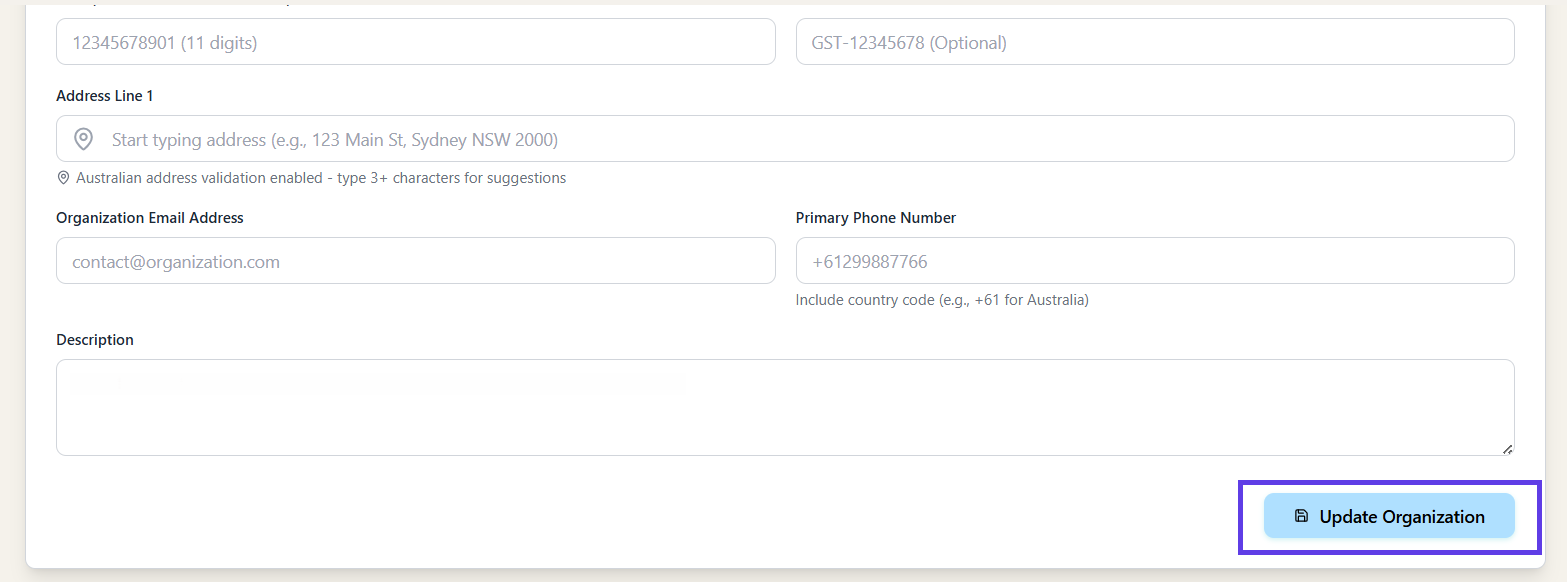
Save your changes
Confirm to save. If a change doesn't seem to appear elsewhere in the app yet, use Refresh on the Profile card to pull the latest saved version.
Field Reference
The Profile tab holds the following fields:
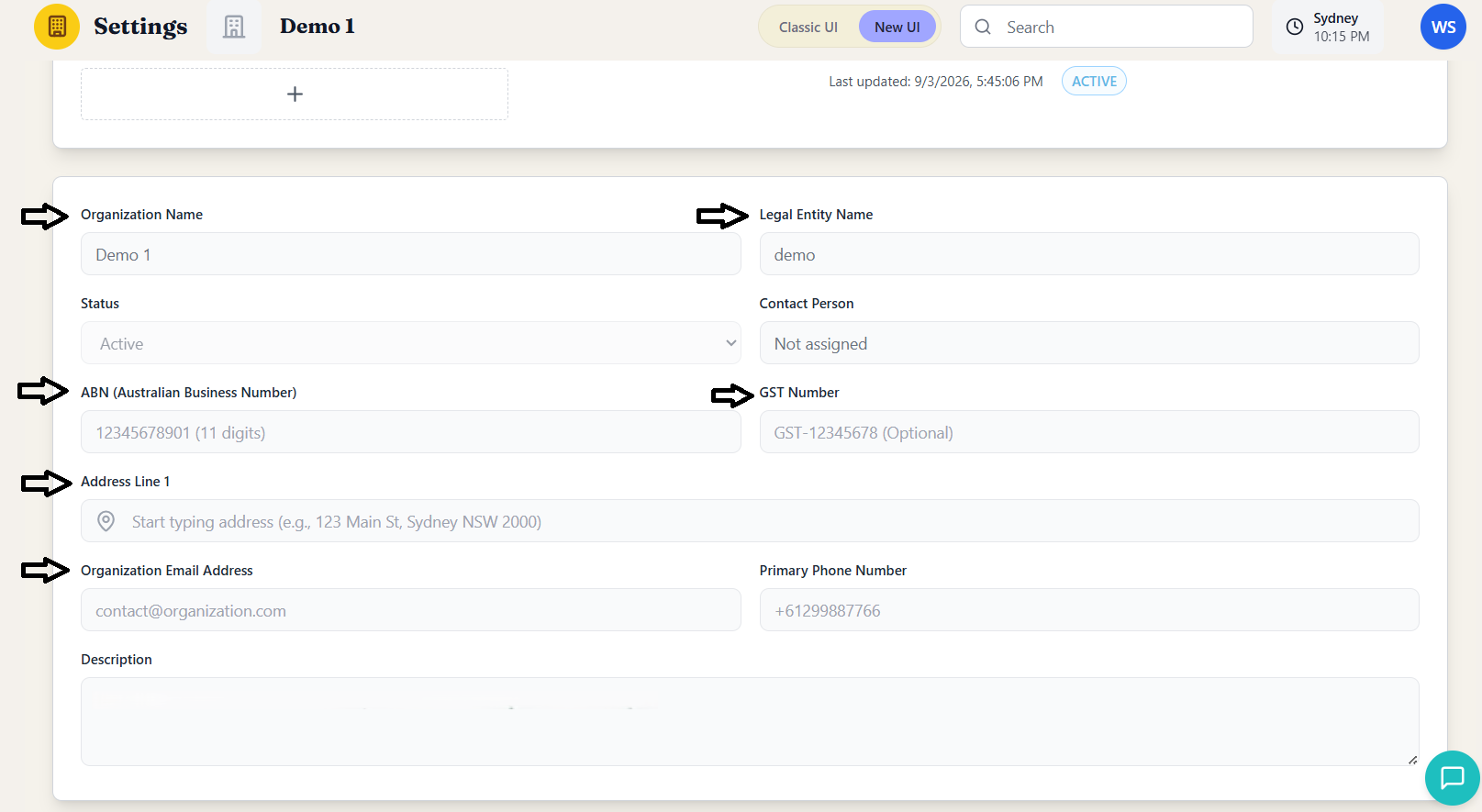
| Field | What it's for |
|---|---|
| Organization Name | The name shown across KelpCare — headers, reports, and staff-facing screens. |
| Legal Entity Name | Your registered legal name, used on generated documents and invoices. |
| Status | Whether the organisation is Active — set by KelpCare, not editable day-to-day. |
| Contact Person | The primary point of contact for the account. |
| ABN | Your 11-digit Australian Business Number. |
| GST Number | Optional — your GST registration number if applicable. |
| Address Line 1 | Your organisation's registered or operating address. |
| Organization Email Address | A general contact email for the organisation, separate from individual staff logins. |
| Primary Phone Number | A general contact number for the organisation. |
| Description | Free-text notes about the organisation — useful for internal reference. |
Access & Roles
Only Account Owners and Admins can edit the Profile tab or change security settings. Everyone else sees the same fields read-only, so any staff member can look up organisation details without risk of an accidental change.
Need a hand?
Our Australian-based support team is here to help — reach out at reachus@kelpcare.ai